Share one when the team needs the same table.
In review: written from the product, not yet walked through live.
1Find the report under Pinned reports
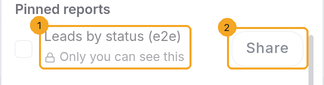
On Analytics, open Customize (the sliders button). A report only you can see says Only you can see this (1), with Share (2) beside it.
2Share with everyone
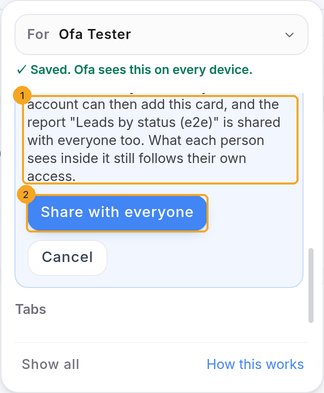
Click Share. The confirm (1) says when the report itself is shared too. Click Share with everyone (2).
3Hide or remove a shared card
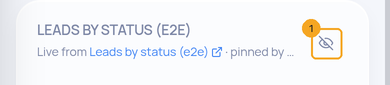
On a card someone else shared, the button is Hide from my Analytics (1): it goes from your page only. The person who pinned it, or an admin, can remove it for everyone; that asks Remove for everyone? first.
© 2026 SkedX · Sample data only · Share and link freely · Copying the product or its design is not allowed · Terms
Common questions
Who can share a pinned report?
The person who pinned it. If its report is private, it must be the person who made the report, and an owner, admin or manager — the same rule as sharing a report from Reports.
What do others see inside it?
Only what their own access allows. Sharing the card never shows anyone rows they could not see before.
Why can’t I remove a card?
Someone else shared it. Use Hide from my Analytics; it stays for everyone else.
Previous: Choose what someone sees on Analytics · All Analytics guides
Did this guide help?
Still stuck?Chat with support →


