Each Pixel can have its own conversion events, so Facebook learns from the right people for each one.
In review: written from the product, not yet walked through live.
1Click Connect another Pixel
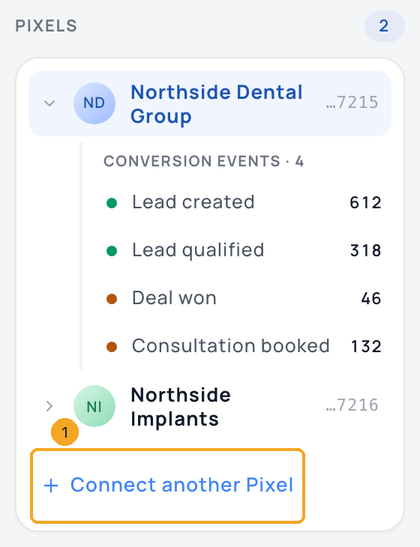
In Settings → Integrations → Meta Conversions API, click Connect another Pixel (1) under your Pixels.
2Paste its Pixel ID and access token
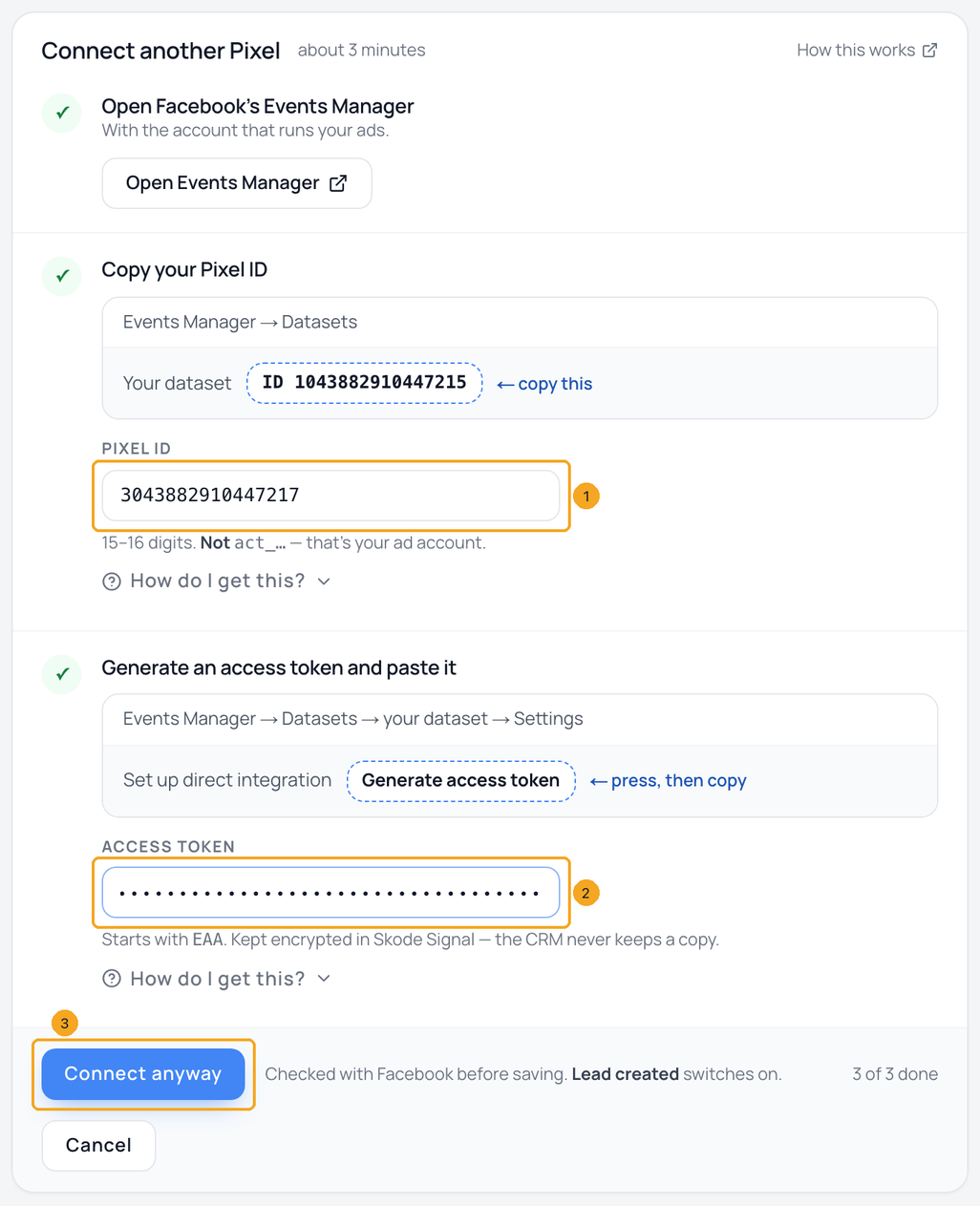
Paste this Pixel’s ID (1) and its access token (2), then click Connect (3). SkedX checks the pair with Facebook first, so use an access token made for this Pixel. The button reads Connect anyway when one of Facebook’s requirements is not met yet. It still connects.
3Set up its events
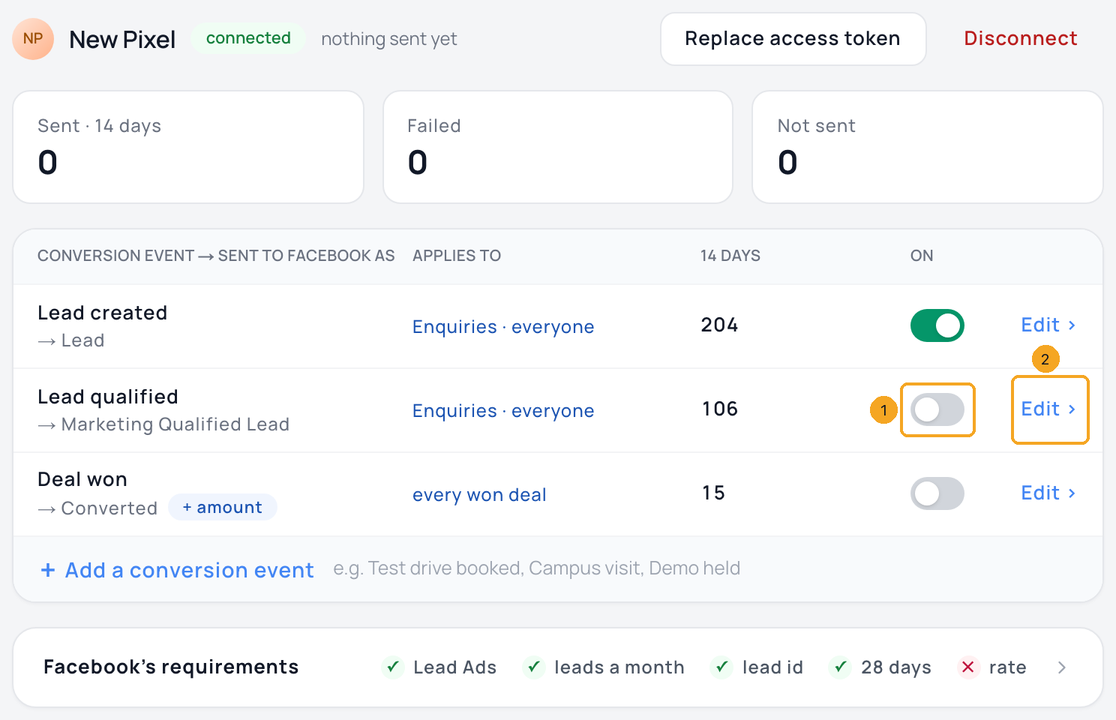
The new Pixel opens straight away with Lead created switched on. Use the switch (1) to turn on the others it should learn from, and Edit (2) to choose who an event counts. These choices belong to this Pixel only.
4Move between Pixels
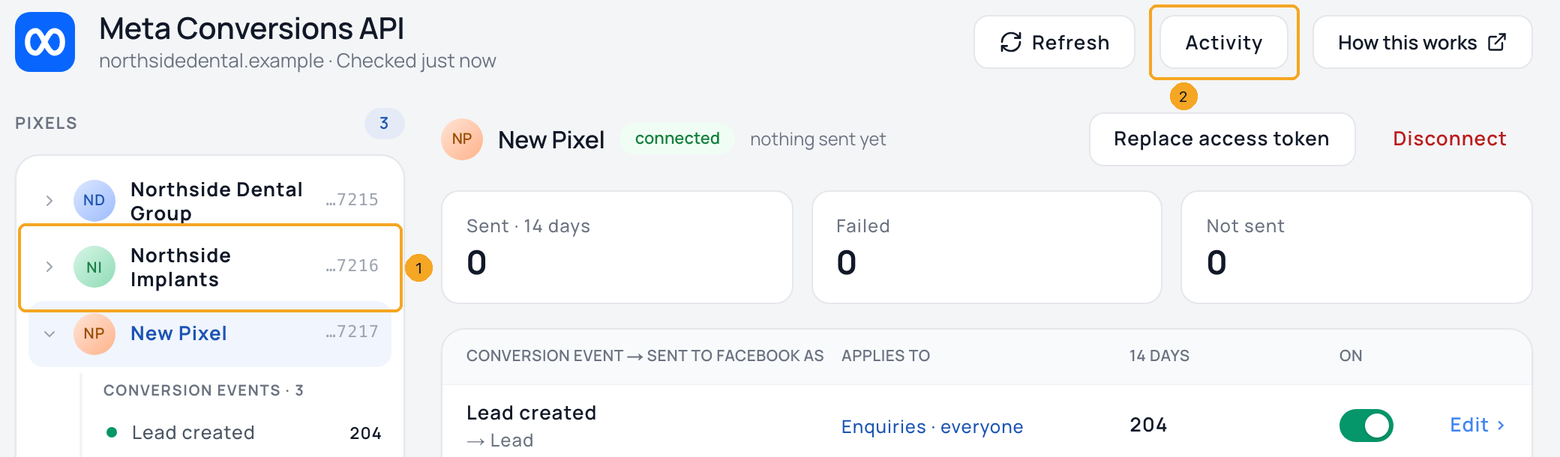
Click a Pixel (1) to see its own numbers and events. Activity (2) then shows what reached Facebook for that Pixel. On a phone, the list shows each Pixel’s numbers, and tapping one opens it.
© 2026 SkedX · Sample data only · Share and link freely · Copying the product or its design is not allowed · Terms
Common questions
Will one person count twice in my reports?
No. SkedX counts them once. Each Pixel receives the conversion once, under the name you gave it there.
Can one Pixel count only some of my enquiries?
Yes. Open an event on that Pixel and add conditions. People outside them are not sent to that Pixel, and your other Pixels are not affected. Deal won always counts every won deal.
How many Pixels can I connect?
Up to 10. Disconnect one you no longer use to add another.
What happens to a Pixel I disconnect?
Its own events are removed and your other Pixels carry on. Its history is kept for 90 days, and its access token is erased straight away.
Can each Pixel get different website conversions?
Yes. Your website conversions are set in your SkedX account under Signal → Meta Conversions API. With several Pixels, pick one at the top and choose what it receives. This page sets what your CRM sends to each Pixel.
Next in IntegrationsSend CRM conversions to Facebook (Meta Conversions API) →
Previous: See what reached Facebook, and send a failed conversion again · All Integrations guides
Did this guide help?
Still stuck?Chat with support →


