This page shows what actually reached Facebook, what failed, and why anything else did not go, one person at a time, so a wasted ad budget never goes unnoticed.
In review: written from the product, not yet walked through live.
1Open the numbers
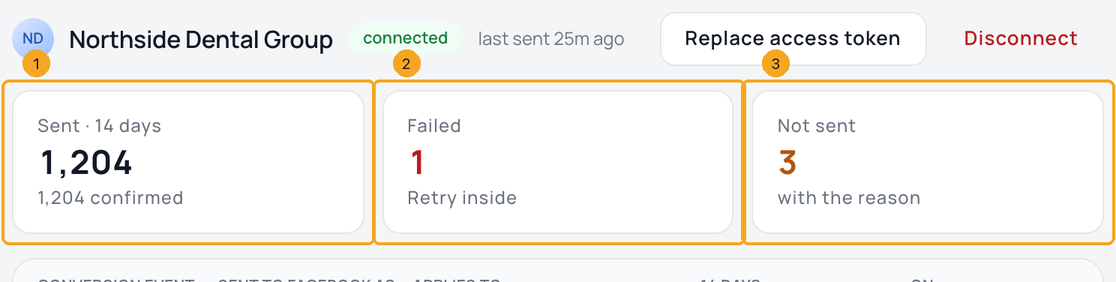
In Settings → Integrations → Meta Conversions API, each Pixel shows Sent (1), Failed (2) and Not sent (3) for the last 14 days. Click any number to open Activity on just those rows.
2Read a row
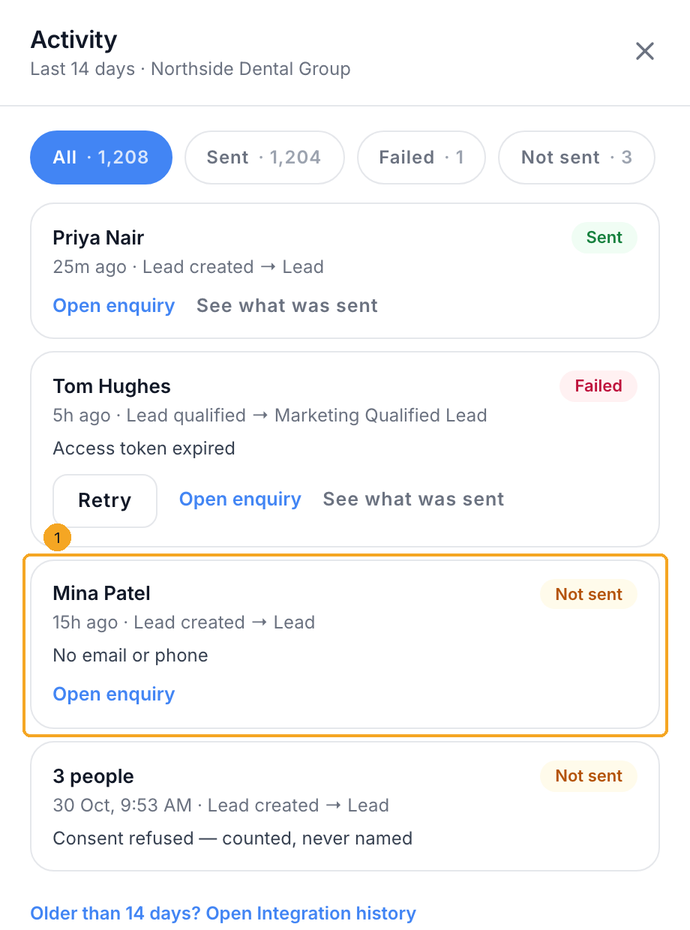
Each row shows the person, the conversion event, what Facebook received and when. Not sent rows (1) give the reason: the event was off, it happened before the Pixel was connected, it was older than 7 days, or the person had no email or phone.
3Send a failed conversion again
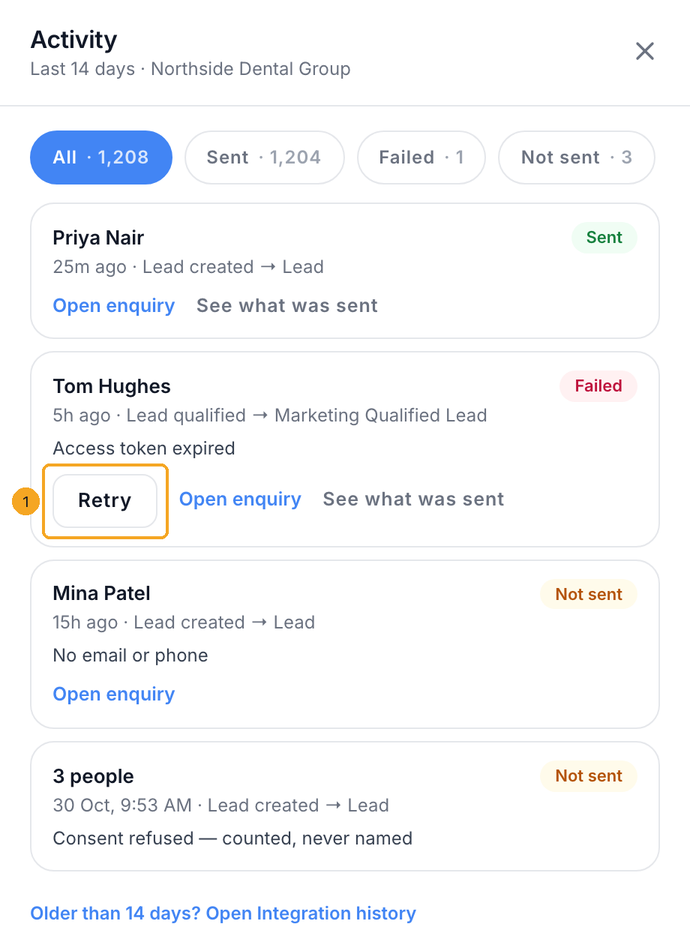
On a Failed row, click Retry (1). It goes as the same event, so Facebook cannot count it twice. Over 7 days old, Facebook no longer accepts it and the row says so.
4See who was sent for one event
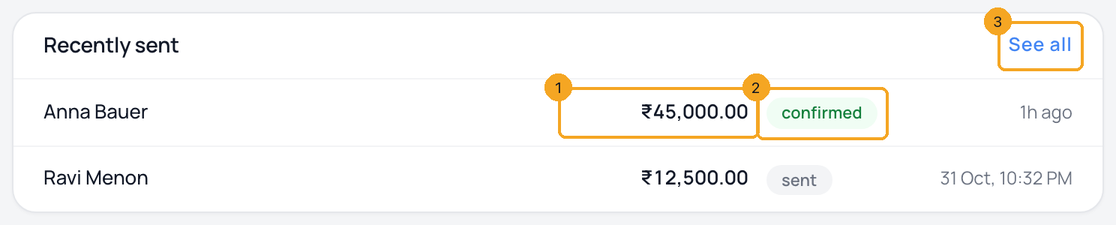
Open an event. Recently sent shows the five newest people sent for it, with the amount (1) where the event carries one, whether Facebook confirmed it (2), and when. See all (3) opens Activity on that event.
© 2026 SkedX · Sample data only · Share and link freely · Copying the product or its design is not allowed · Terms
Common questions
Does this show personal data sent to Facebook?
It lists field names only, such as email (hashed). It never shows the values.
Why do some people show as a number and not a name?
They refused consent. They are counted so the total adds up, but never listed.
Does Disconnect delete this history?
A disconnected Pixel keeps its history for 90 days, and its access token is erased straight away.
Next in IntegrationsSend conversions to more than one Facebook Pixel →
Previous: See how a person found you: the Signal tab · All Integrations guides
Did this guide help?
Still stuck?Chat with support →


