A status column gives you your statuses, a date gives you a calendar, and a rating gives you stars, so a list goes in right the first time — on Enquiries and inside every profile.
In review: written from the product, not yet walked through live.
1Open the import sheet
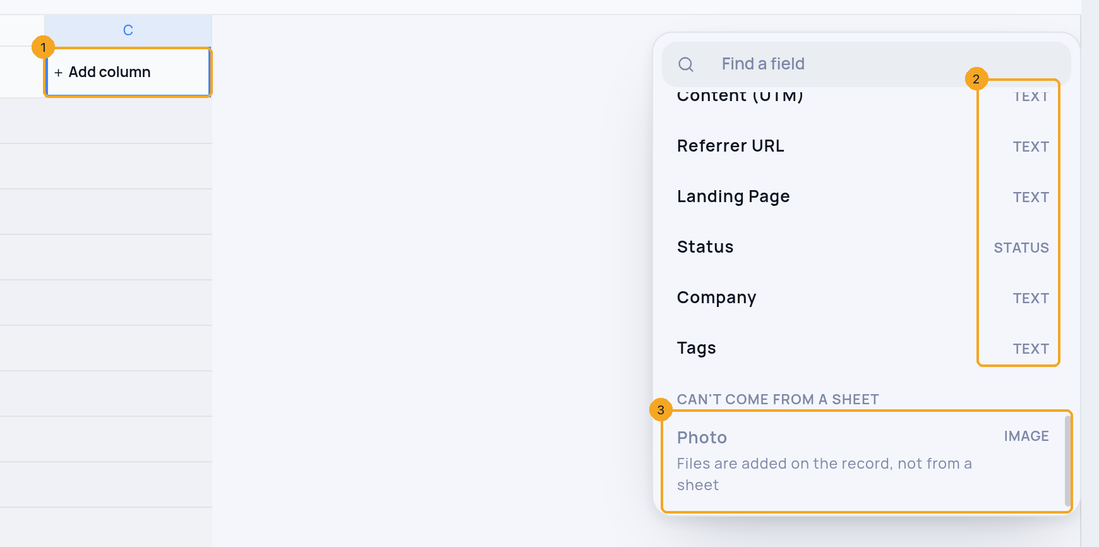
From the Enquiries list click Import, then paste from Excel or Google Sheets, or drop a file. Every column is a field of your layout: + Add column (1) lists them with their type (2), and the fields a sheet can’t fill are greyed at the end with the reason (3).
2Pick from a list
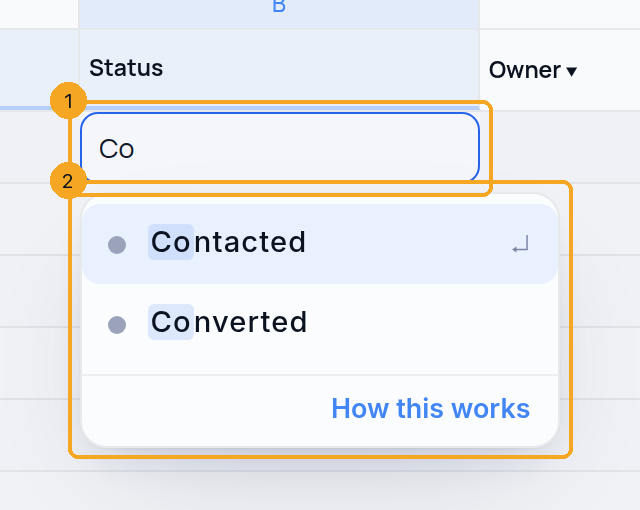
Double-click a Choice, Status or Priority cell (1), or just start typing in it. Your own list opens with its colours (2); typing narrows it, and Enter or a click picks. A multi-choice cell lets you tick several with Space.
3Dates and times
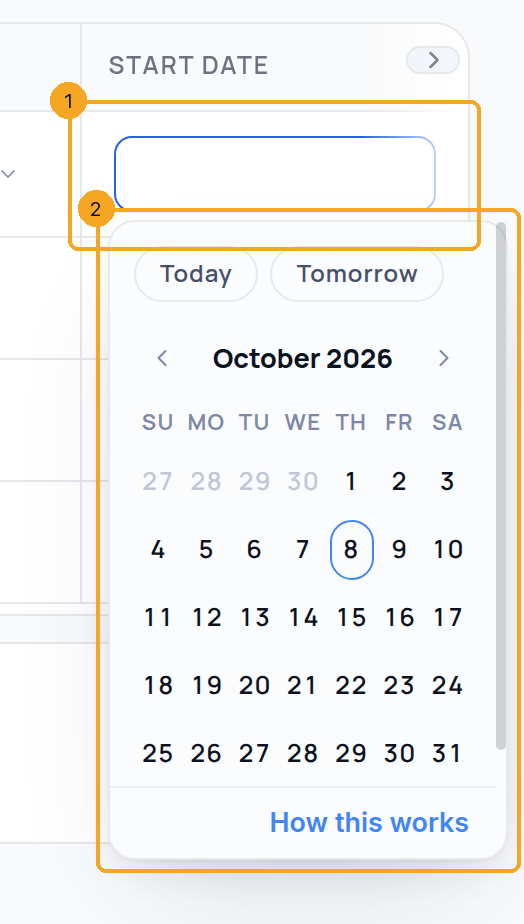
A date cell (1) opens the calendar (2). You can type the date instead — “12 Oct 2026” or “12/10/2026” — and the sheet reads it the way the rest of that column is written. A time cell offers a 15-minute list, and a duration reads “90m”, “1:30” or “1.5h”.
4Numbers, stars and Yes/No
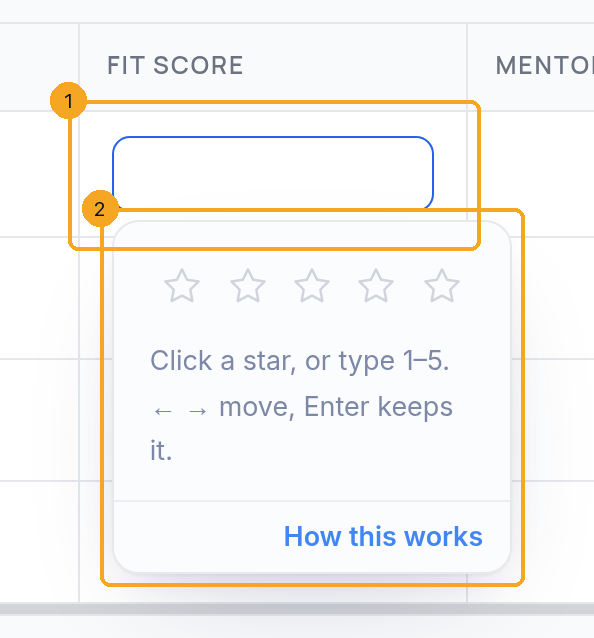
A Rating cell (1) shows its stars (2): click one, or type “4”. Number cells read “1.2k” and “1,200”, money takes your currency, and a Yes/No cell is a checkbox that Space ticks.
5People, email and phone
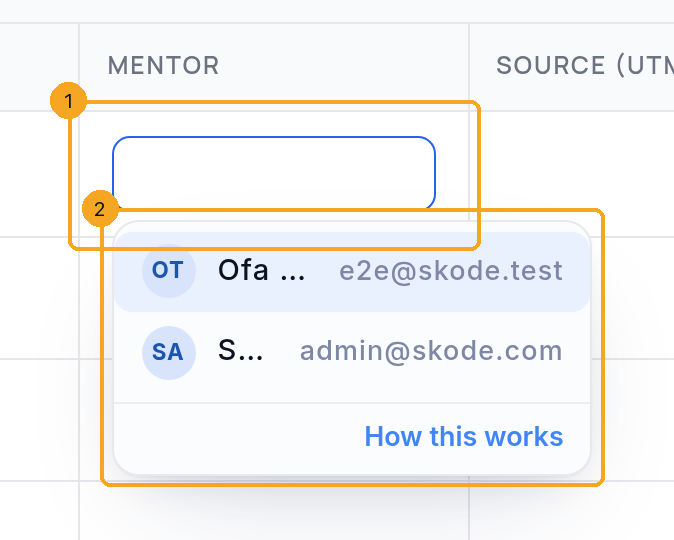
A person field such as Owner or Mentor (1) lists your team (2) — type a name or an email to find someone. Email, phone and link cells show how the value will be saved before you leave the cell.
6Fix a value that won’t import
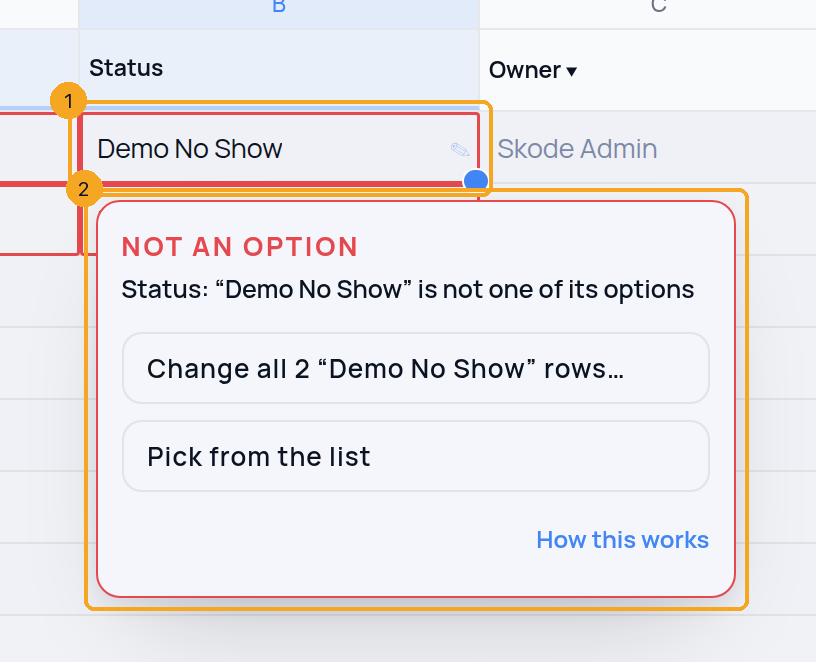
A red ring means the row would not import as written — on Enquiries and inside a profile alike. Click or tap the cell (1) — or select it and press Alt+↓ — for the fix (2): change this one, change every row with the same value, or pick from the list. In a multi-choice cell only the wrong item changes; the rest of the cell stays. After a fix the sheet checks itself again, and Undo takes the fix back.
7Import into a profile
Inside a profile, click Import on its page. The sheet opens with every field of that profile (1) and fills the same way. Verify (2) checks every cell the way the import will, and says how many rows are ready (3); then Import lands them in the profile.

© 2026 SkedX · Sample data only · Share and link freely · Copying the product or its design is not allowed · Terms
Common questions
What happens to a value that isn’t one of the options?
Its row is kept out of the import, with the reason, and nothing is written for it — in Enquiries and in a profile alike. Click the red-ringed cell to change it, change every row with the same value, or pick from the list, then Verify again. Forms, Zapier and WhatsApp keep taking such values as before.
How does the sheet read my dates?
Each date column is read on its own: when its cells show which comes first — a number above 12 can only be a day — the whole column is read that way; otherwise day first. A cell that can’t be read is ringed, and the calendar in the cell sets it.
Who can I put in Owner or another person field?
Anyone active in your workspace, by name or by email. Someone who isn’t a member keeps the row out until you pick a member.
What if a field only shows under a condition?
A field your layout shows only when another field has a certain value (“Visa type” only when Country is UAE) keeps what you import even when that row doesn’t meet the condition. The cell gets the amber dot, and clicking it says the condition and what the row holds; the record shows the field once the condition holds.
How do I fill a multi-choice cell?
Open the cell and tick the options with Space or a click, or type them separated by commas (“Part A, Part B”). If one item is wrong, the fix changes only that item.
Why is a field missing from the sheet?
It is listed greyed, with the reason: files and images are added on the record, and calculated fields such as formulas and auto numbers are filled in by SkedX.
What does the small amber dot mean?
SkedX tidied the value — “1.2k” becomes 1200, “example.com” gains https://. Click the cell to see what it becomes. Nothing is changed silently.
Does the sheet follow my layout’s rules?
Yes. Required fields, the options of a list, minimum and maximum values, lengths and patterns, and default values all come from your Field Editor — a profile’s own Field Editor inside a profile. The sheet, Verify and the import give the same answer.
Next in ProfilesReading a profile page →
Previous: Import profiles from a spreadsheet · All Profiles guides
Did this guide help?
Still stuck?Chat with support →


