On a smaller screen the list keeps its columns: the sidebar and the side panel fold, one click from open.
In review: written from the product, not yet walked through live.
1See what folded
The sidebar shows its icons (1). The side panel is a strip (2) with Overview, Views and Filter.
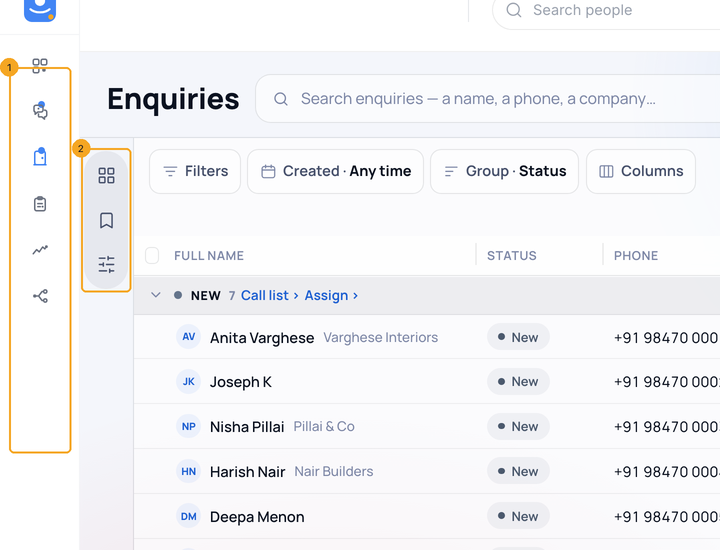
2Open the panel from the strip
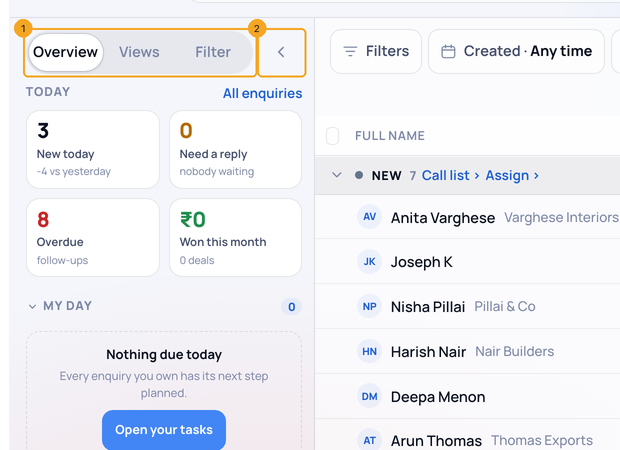
Press an icon on the strip. The panel opens on that tab (1) and the list makes room. A choice, Esc or ‹ (2) folds it back.
3Keep a panel open
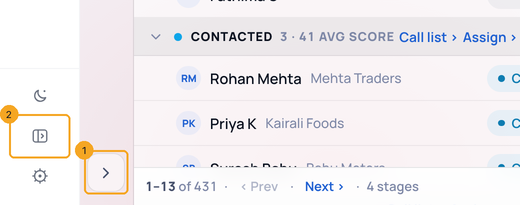
Press › (1) to keep the side panel open, or Expand (2) to keep the sidebar open. SkedX remembers it on this computer.
4Peek at the sidebar
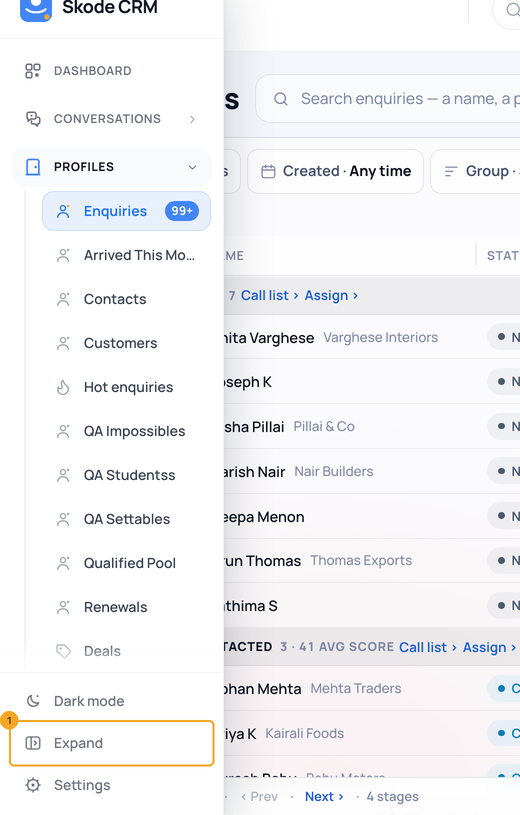
Rest the pointer on the folded sidebar. It opens over the page; the list does not move. Press Expand (1) to keep it open.
© 2026 SkedX · Sample data only · Share and link freely · Copying the product or its design is not allowed · Terms
Common questions
Why did my sidebar fold?
This screen is too narrow for the list’s columns with both open. The sidebar folds first, then the side panel.
How do I get both back?
Press Expand on the sidebar and › on the strip. Press Collapse to let SkedX decide again.
Does it fold on a big monitor?
No. On a wide screen both stay open.
Why is it different on my other computer?
Your choice is kept on each computer, because each screen has its own room.
Where is the strip on a phone?
A phone has no strip. The panel opens as a sheet from the button beside Filters.
Previous: Read a profile’s page: its own numbers, views and filter · All Profiles guides
Did this guide help?
Still stuck?Chat with support →


