See who you know, where they stand, when you last spoke and what happens next.
In review: written from the product, not yet walked through live.
1See where each person stands
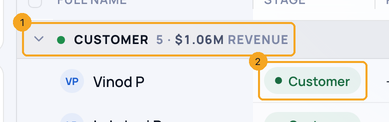
Under Profiles in the sidebar, open a profile built on Contacts. People are grouped by Stage: each group (1) shows its count and won revenue, and each row shows the Stage (2). Change the grouping from Group above the list.
2See when you last spoke
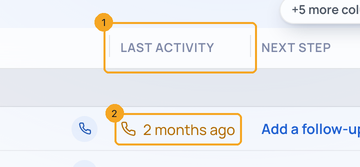
Last Activity (1) says how long ago you last reached this person and how, by call, email or chat. It turns amber (2) after 30 days. Press the column name to put the quietest people first.
3Plan what happens next
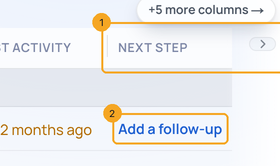
Next step (1) shows the earliest open task on the person or their enquiries. Where there is none, press Add a follow-up (2), type it and press Enter.
4Respect Do Not Contact
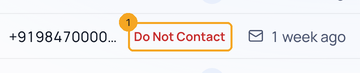
Someone whose Status is Do Not Contact keeps their number, and Do Not Contact (1) takes the place of the WhatsApp, Call and Email buttons.
5See what they are worth
Move the list sideways: the name stays in place. Lifetime Revenue (1) is the person’s won deals. Source (2) is what brought them in, from their first enquiry that names one.

6On a phone
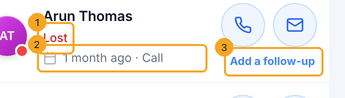
Each card shows the Stage (1), Last Activity and how (2), and the Next step (3).
© 2026 SkedX · Sample data only · Share and link freely · Copying the product or its design is not allowed · Terms
Common questions
Where did Status go?
Under Columns and Filters. Stage takes its place in the list, because it says where someone stands.
Where is Export?
In the three-dot menu above the list.
Why does someone show No activity?
Nothing has been recorded on them or their enquiries yet.
What counts as Lifetime Revenue?
Won deals on the person or their enquiries, in your company’s currency.
Next in ProfilesRead a profile’s page: its own numbers, views and filter →
Previous: The classic Enquiries page is retired: where everything is now · All Profiles guides
Did this guide help?
Still stuck?Chat with support →


