In review: written from the product, not yet walked through live.
1What the page shows
In the side panel’s Overview, the line under the numbers (1) says whose deals the page shows — every profile’s, or one profile’s.
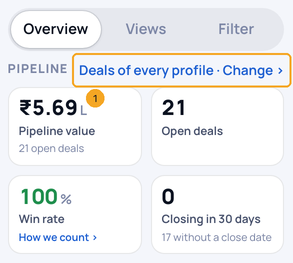
2Change it
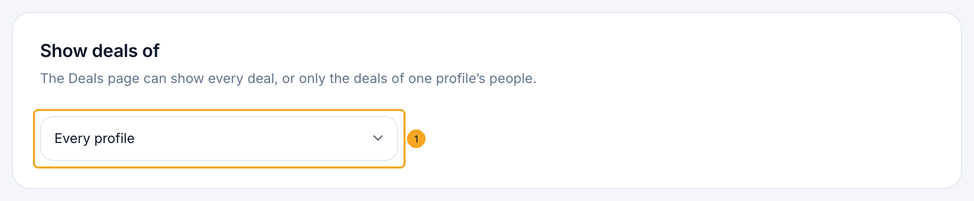
Open Deals settings. Under Show deals of, pick Every profile or one profile from the list (1). The page follows at once.
© 2026 SkedX · Sample data only · Share and link freely · Copying the product or its design is not allowed · Terms
Common questions
The page says the profile holds no deals.
The chosen profile’s people have no deal yet. Change the setting to every profile, or open the profile to add one.
Next in ProfilesSee where a deal came from and what happens next →
Previous: Move a deal to another stage: drag it on the Board, pick a stage on the List, mark several won or lost · All Profiles guides
Did this guide help?
Still stuck?Chat with support →


