3 min readFor all rolesUpdated 4 Nov 2026In review
People pick a time; you never trade emails about it.
In review: written from the product, not yet walked through live.
Transcript · 1:18
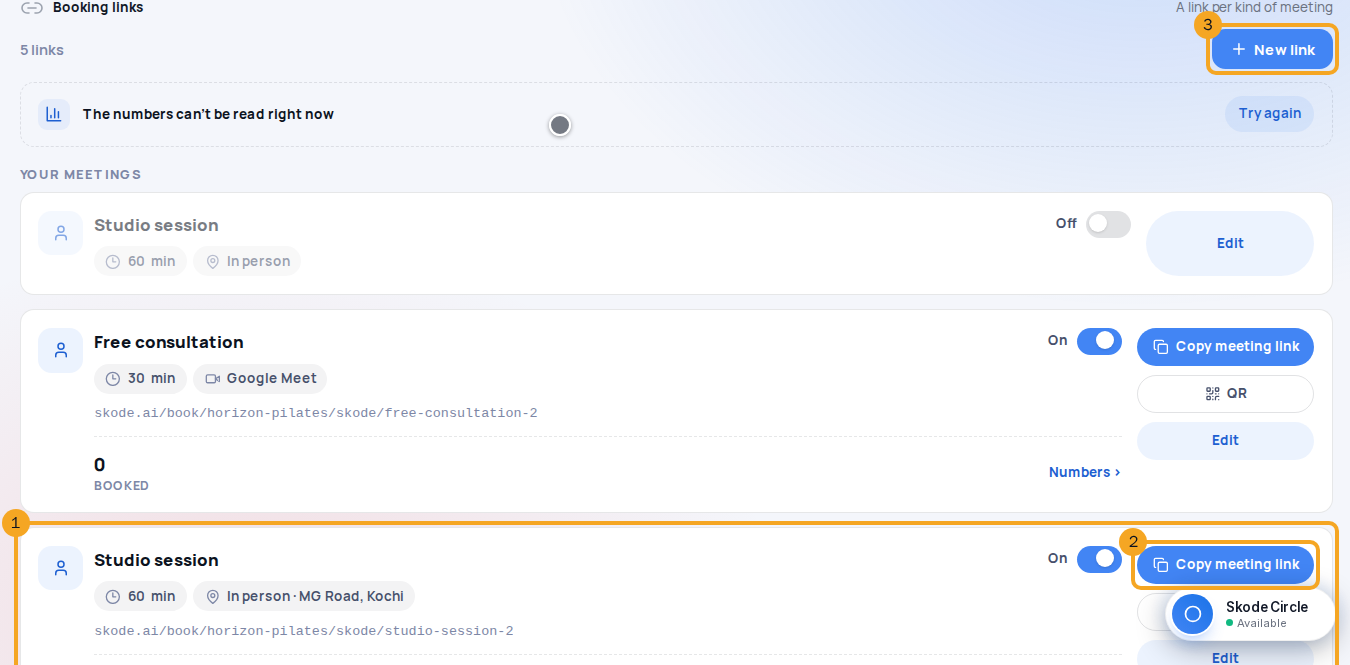
A link per kind of meeting, each its own page. People pick a time, and it lands on your calendar and on their record. Here is how to make one in SkedX CRM, and share it. In Calendar, open Calendar settings, then Booking links. Every meeting is a card: its name with On or Off, its length and place as chips, its address, and its figures. Copy meeting link gives that one link's address. New link sits at the top; there is no page that lists them. New link makes another. Where team links are on, it asks what kind of link: Just me is your own link; the others are team kinds. On Details, set the name and the link's address, the length, where it happens, how much notice you need, and how far ahead people can book. Beside it is the page people will see. From the calendar, the link button beside New meeting shows the same cards. Copy meeting link gives its address; QR shows a code to print; Send in a chat puts it in the inbox; New link makes another. On the link's page, Turn off closes it at once. Its address then forwards people to your main link, saying that meeting is not open. Nothing already booked is cancelled.
1Open Booking links
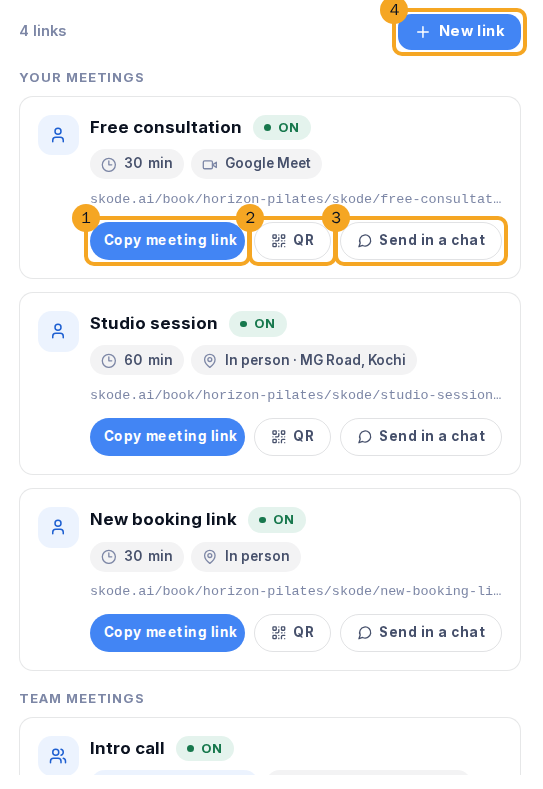
In Calendar, open Calendar settings and choose Booking links — or use the arrow beside + New meeting and choose Booking links. Every meeting is a card (1): its name with On or Off, its length and where it happens as chips, its address, and its figures — opened, picked a time, booked. Copy meeting link (2) gives that one link’s address; New link (3) sits at the top. Your own meetings and team meetings are two groups; there is no page that lists them.
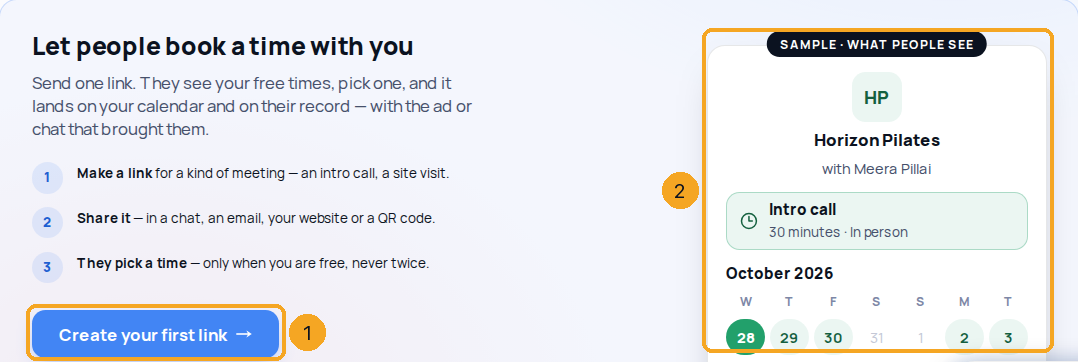
Before your first link there is nothing to share yet, so Booking links shows one button: Create your first link (1). Beside it is a sample of the page people will see (2) — your company’s name and logo, your name, the meeting and its free times. The sample books nothing.
3Create a link
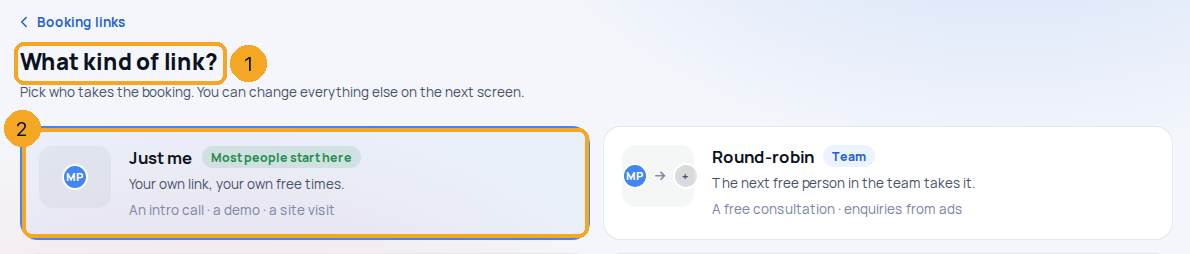
The first time, Create your first link makes your own 30-minute intro call and opens it — nothing to choose. After that, New link makes another. Where team links are on, both ask What kind of link? (1) as four cards — Just me (2) is your own link; Round-robin, Everyone together and Group session are team links. One click on a card makes that link and opens it.
4Set what it books
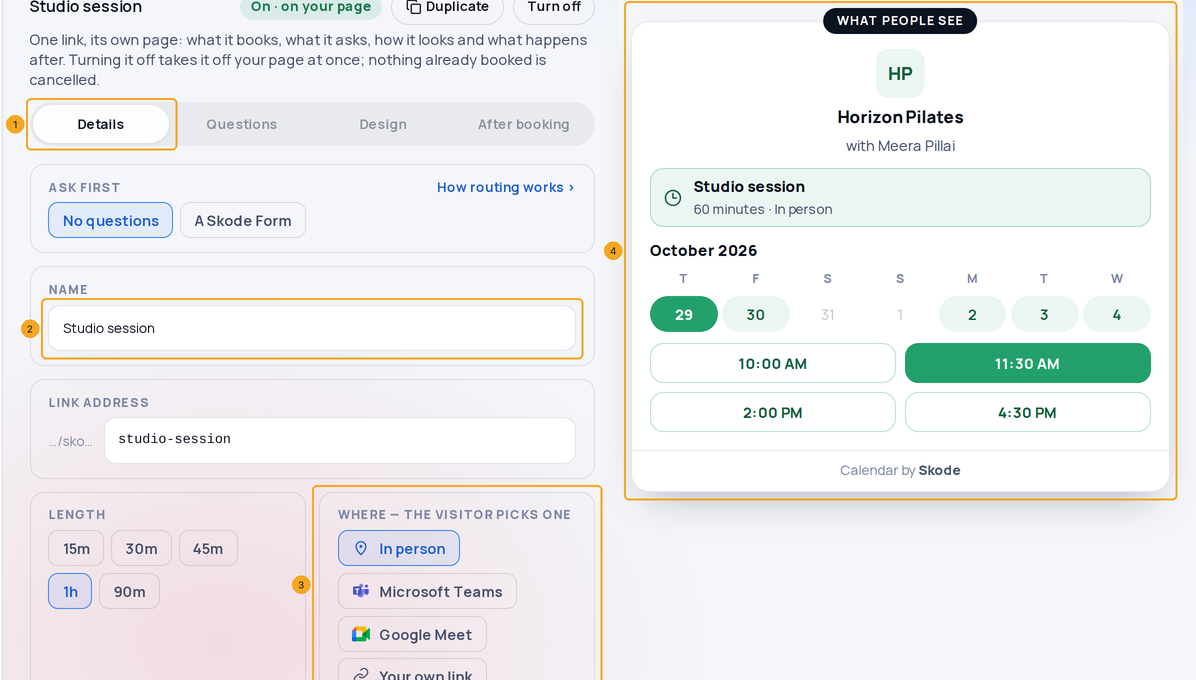
On Details (1): the name (2) and the link’s address, the length, where it happens (3) — in person, Teams, Meet or your own link, each with its own mark, and the visitor picks one — how much notice you need, how far ahead people can book, a gap after each booking and the most in a day. Beside it is the page as people will see it (4). It saves as you go.
5Limit how many a week
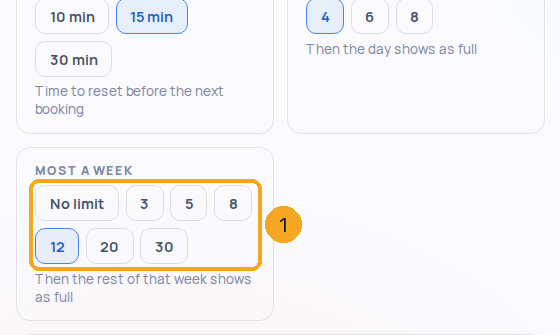
Under Most a day, pick Most a week (1) — say 12. Once a week (your company’s week — it starts on the day set for your company, in its time zone) has that many bookings on this link, the rest of that week shows as full and the next week opens again. No limit turns it off.
6Share it
Copy meeting link (1) on the meeting’s card gives its address — one meeting, its own page. Put it in your email signature, on your website and in your ads. Each other meeting has its own link; send the one you mean.
7Share from your calendar
In Calendar, the link button beside New meeting — or + → Share a booking link — shows the same cards. Copy meeting link (1) gives its address, QR (2) shows a code to print or put on a counter, or Send in a chat (3) from the inbox. A scan of the QR code shows in Signal as a QR visit.
8Turn a link off
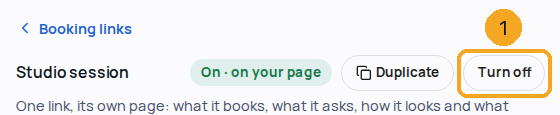
On the link’s page, Turn off (1) closes it at once — its address then forwards people to your main link, saying that meeting is not open. Nothing already booked is cancelled.
Does the ad that brought them learn whether they came?
Yes. When you mark a booked meeting Went ahead or No-show — on the meeting in SkedX CRM, or on Flow’s Bookings tab — SkedX Signal records it on that person with the ad they booked from, so your attribution shows meetings that happened, not only meetings booked. Rescheduled sends nothing new.
Which times do people see?
Your working hours, minus your meetings in SkedX and the busy times in your connected Outlook or Google calendar, minus the notice you set — in the visitor’s own time zone.
Does a booking make a new enquiry?
It links to the person if they are already a record (same email or phone). It makes a new enquiry only if you switch on A new person becomes an enquiry for that link.
Why is there no address to copy before my first link?
An address is handed out only once a link is on — before that, anyone opening it would find nothing to book. So the screen shows Create your first link and a sample of what people will see instead. Once a link is on, its card shows Copy meeting link.
Is there one page that lists all my meetings?
No. Every meeting is its own link and its own page. Your address skode.ai/book// still works — it forwards to your main link, the top one in Booking links — so anything that carries it keeps working.
Why does it say booking pages belong to the company’s team?
You are looking at a company you are not a member of — SkedX support, for example. A booking page belongs to a member of that company’s team, so none is made for you there. Each team member sets up their own.