A list of people to call, worked from one screen: each row shows what happened, and the next person is called for you.
In review: written from the product, not yet walked through live.
1Start the list
Open Calls → Dialer. The list card (1) names your list and how many are left; Next call → (2) starts it. The Calls page switches to the list.

2Read the rows
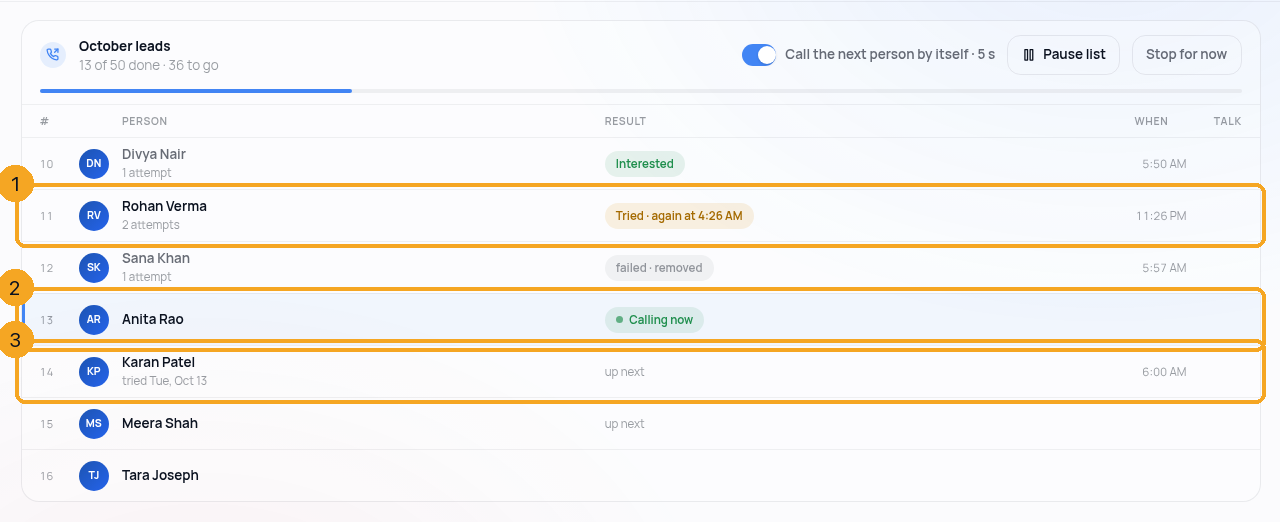
Rows are in calling order. Done rows (1) say what happened: Busy · again at 3 PM, No answer · tomorrow, Not reachable · removed, or the outcome you picked. The row being called now (2) says Calling now with the timer. The rest wait (3) and say up next; if you tried someone before, that sits under their name — no answer yesterday.
3After each call
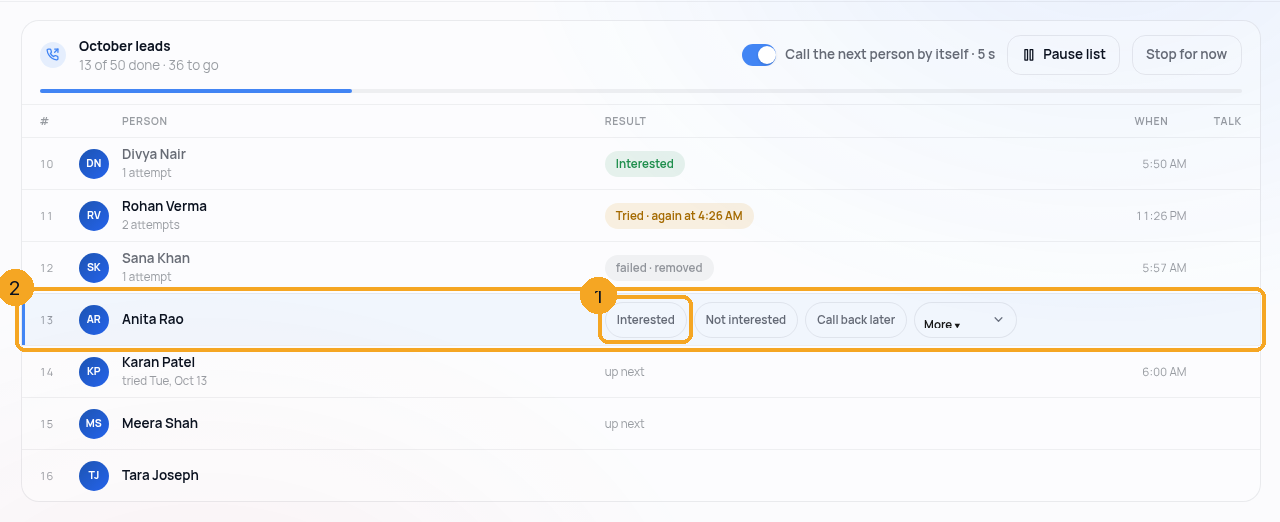
Carrier results fill in by themselves. When someone answered, the outcome chips appear on that row (1) — one tap — and the line under them says what the list's rule does next (2): "Call back later → back on this list tomorrow 10 AM".
4Calling the next person
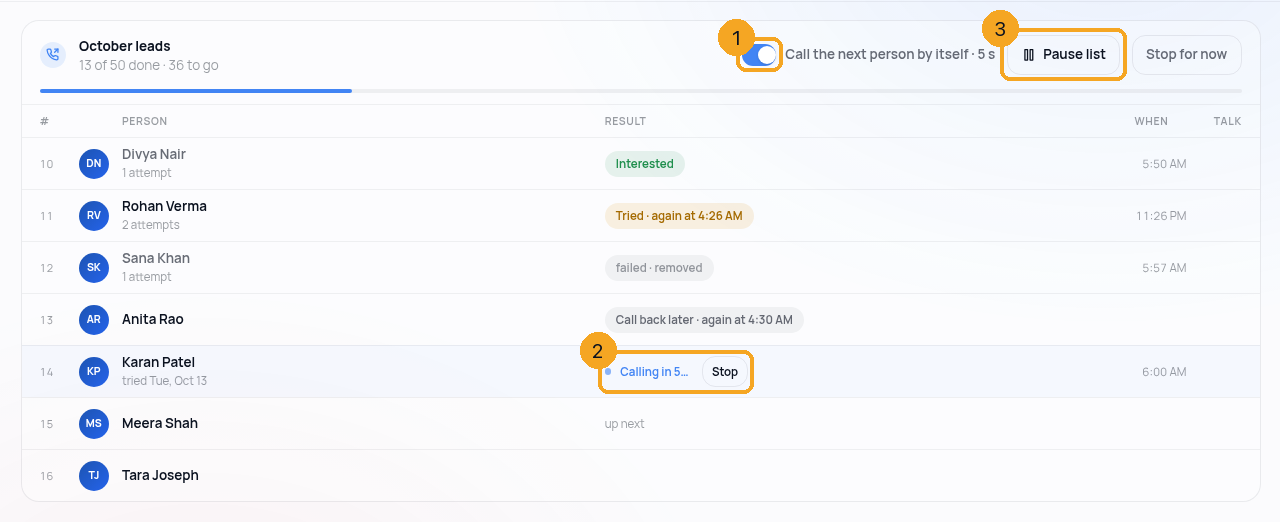
With Call the next person by itself (1) on, the next row says Calling in 5… with Stop (2). Off, each row waits for Call next. Pause list (3) holds everything and keeps your place. The switch is remembered for you.
5When the list runs dry
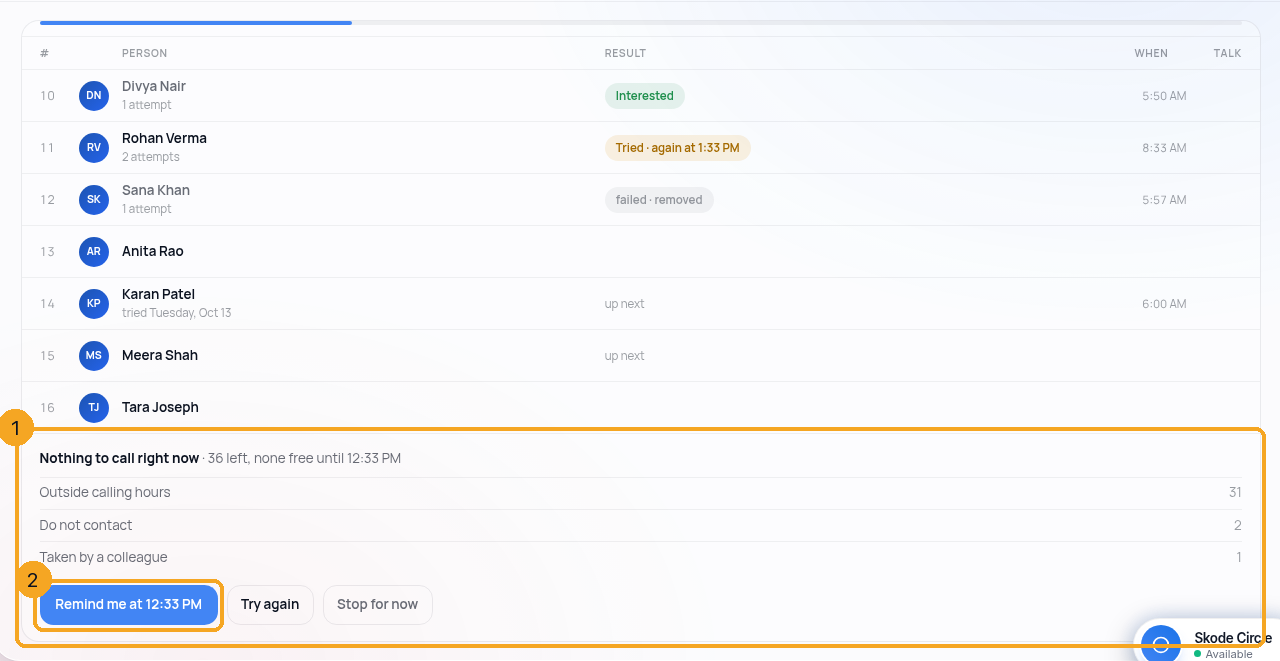
If nobody can be called right now — outside their calling hours, do-not-contact, over the attempt cap, or taken by a colleague — the reasons sit where the next row would be (1), with when the next person frees up and Remind me at that time (2).
© 2026 SkedX · Sample data only · Share and link freely · Copying the product or its design is not allowed · Terms
Common questions
Does the list dial two people at once?
No. One person at a time, 5 seconds after each result, and you can stop it on the row. Nothing is dialled ahead of you.
Someone on the list was skipped — why?
The list never calls a person outside their calling hours, on do-not-contact, over the attempt cap, or already taken by a colleague. The dry-list block names each reason and the count.
What do "again at 3 PM" and "tomorrow" come from?
The list's own retry rules — set when the list is made (for example No answer → tomorrow, Busy → in 3 hours). The row shows what the rule did.
I turned auto-next off — is that for my team too?
No. It is remembered for you only; each person chooses their own.
Previous: Talk to a teammate first, then hand the caller over · All Calling guides
Did this guide help?
Still stuck?Chat with support →


