In review: written from the product, not yet walked through live.
1Open Filters
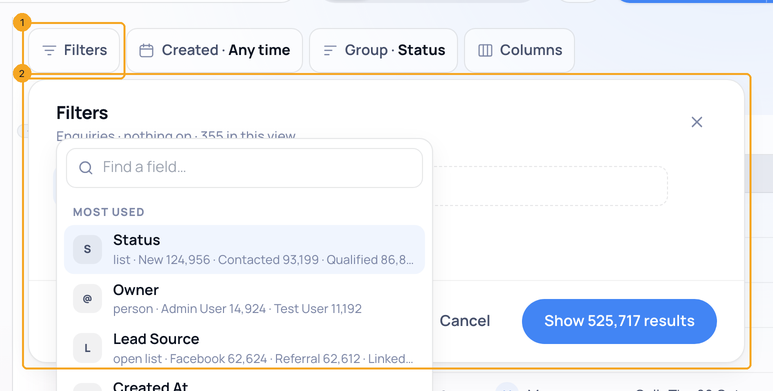
Click Filters (1). The Filters window opens (2) with a field to choose.
2Choose Updated by
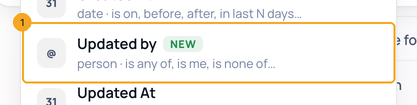
In the field list, choose Updated by (1).
3Pick who — Me, None, or a teammate
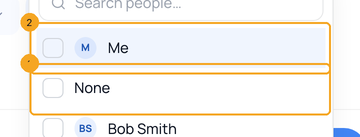
Me (1) is you, whoever is looking — a view saved with it works for everyone. None (2) finds the enquiries no person has changed since 30 Oct 2026, when Updated by began. Tick one or more, then show the results.
© 2026 SkedX · Sample data only · Share and link freely · Copying the product or its design is not allowed · Terms
Common questions
What does None mean?
No person has changed the enquiry since 30 Oct 2026 — only an automation, an import or a form, or nothing at all.
An older enquiry shows under None, but someone edited it.
Updated by is recorded from 30 Oct 2026. An enquiry last changed before then shows under None until someone changes it again.
Does an API change count?
Yes: a change made with someone’s API key is theirs.
Next in ProfilesGo to the next enquiry without going back to the list →
Previous: Choose what each card shows on Enquiries · All Profiles guides
Did this guide help?
Still stuck?Chat with support →


