Working through a list — calling each enquiry, updating each status — you never need to go back to the list in between.
Next opens the one after, in the order you chose.
In review: written from the product, not yet walked through live.
1Open an enquiry from the list
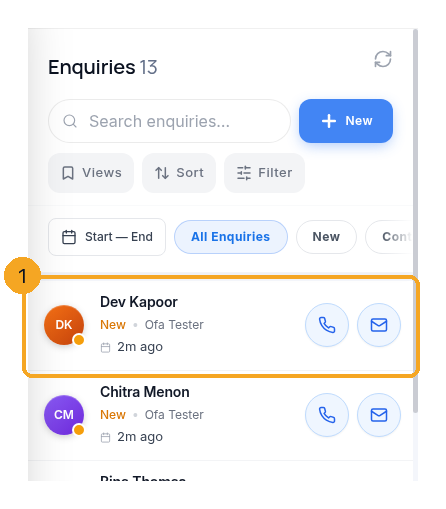
Go to Enquiries or any profile, filter or sort the list the way you want to work it, and open the first enquiry (1). Previous and Next follow this list — its filters, its order, and a saved view if one is open. Ten filtered out of a thousand means you walk those ten.
2On a phone: Previous and Next at the bottom
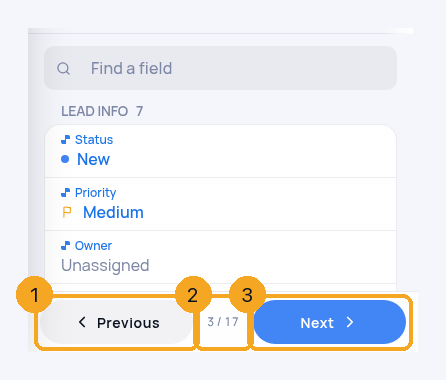
At the bottom of the enquiry, Next (3) opens the next one in your list and Previous (1) the one before it. Between them is your place in the list (2) — “3 / 17”. Your phone’s back gesture takes you to the list, not through every enquiry you stepped past.
3From My day, search or the bell
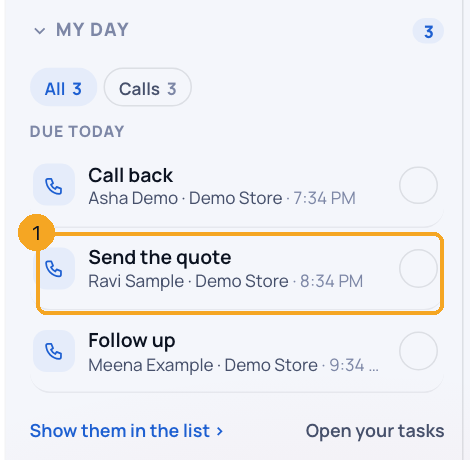
Open a person from My day (1), a My Work list, your search results or the notifications bell, and Previous and Next walk that list — its people, in the order it showed them. Search keeps to the group you picked from; the bell skips a notification with no person.
4On a contact
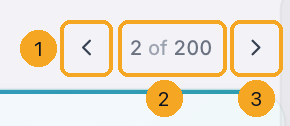
Open a contact from Contacts or a profile built on Contacts. At the top right of the Contact page, ‹ (1) and › (3) go to the previous and next contact in that list, with your place between them (2). The keys j and k work too, and the profile stays with you.
5When it says “Back to Enquiries” instead
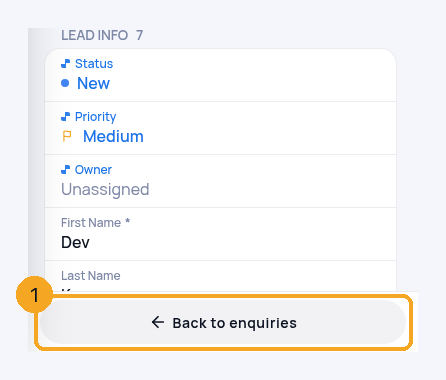
An enquiry opened from a task, a chat or a link has no list behind it, so the bar offers Back to Enquiries (1) instead. Tap it and open the enquiry from the list to step through from there. The list also rests after 30 minutes in which you neither use it nor open anything from it — open it again to pick up where you were.
© 2026 SkedX · Sample data only · Share and link freely · Copying the product or its design is not allowed · Terms
Common questions
How do I go to the next enquiry on a computer?
At the top right of the enquiry, the ‹ and › arrows go to the previous and next enquiry, with your place in the list between them. The keyboard works too: j or → for the next, k or ← for the previous, and Esc goes back to Enquiries.
Previous and Next disappeared while I was working through my list
That was a fault, fixed on 14 Oct 2026: the list behind them used to expire 30 minutes after it loaded, even while you were using it, so after half an hour of calls the bar changed to “Back to Enquiries”. Now the list stays while you keep opening enquiries from it, and rests only after 30 minutes in which you open nothing from it.
Previous and Next were missing with a filter on, or from a profile
That was a fault, fixed on 10 Nov 2026. A list left open for half an hour, a list in a profile, or an enquiry opened in a new tab could lose both buttons. Now they stay, and they walk exactly the list you opened the enquiry from.
Can I go to the next person from My day, search or a notification?
Yes, since 11 Nov 2026. Open a person from My day, a My Work list, search results or the bell, and Previous and Next walk that list in the order it showed. Opening from the Enquiries list again switches back to that list.
Is there Next and Previous on a contact?
Yes, since 11 Nov 2026: a contact opened from Contacts or a Contacts-based profile has ‹ and › at the top right of its page. They walk the rows the list showed; at the last row Next is grey.
Next is grey
You are on the last enquiry of your list, with its filters. Clear or change the filter to walk a longer list.
On my phone the arrows are at the top, not in a bar at the bottom
Your phone is showing the computer’s layout of the enquiry. The arrows at the top work exactly as Previous and Next do.
Next in ProfilesAdd your own fields to profiles →
Previous: Filter enquiries by who last updated them · All Profiles guides
Did this guide help?
Still stuck?Chat with support →


