One stage list for the whole company by default, and a separate list only where a team really needs one.
In review: written from the product, not yet walked through live.
1See which stages a profile uses
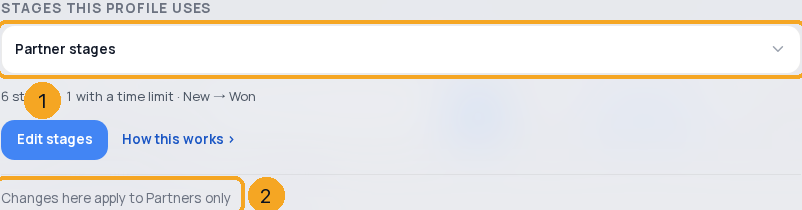
Open the profile’s Profile settings › its stages card. Stages this profile uses (1) names its list, and the line at the foot (2) names every profile a change to that list reaches.
2See every stage list in the company
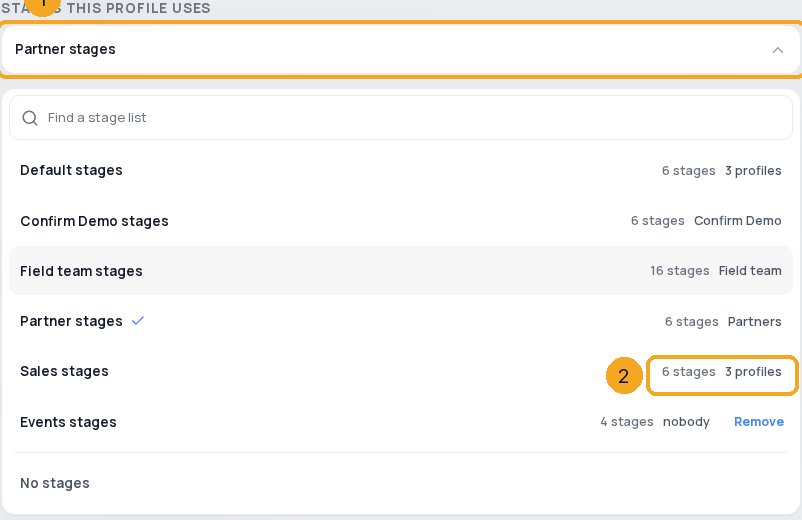
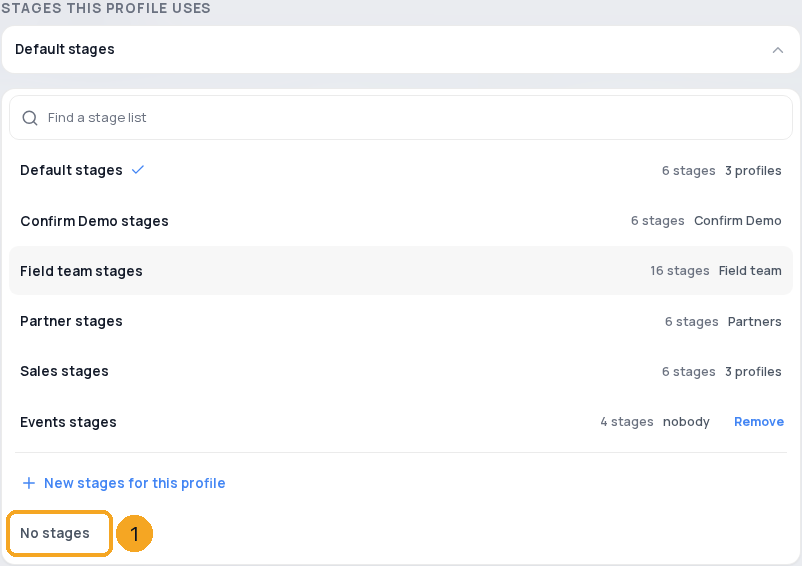
Click the list’s name (1). Each list shows how many stages it has and which profiles use it (2). From six lists you can search them.
3Switch to another list
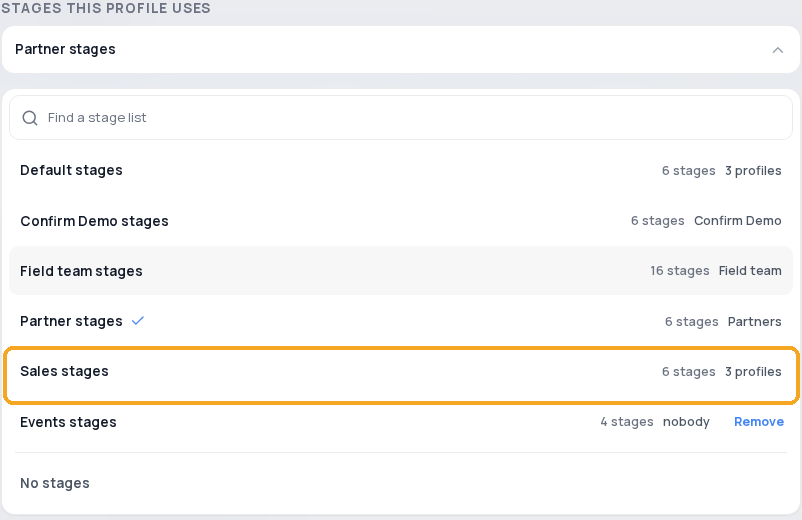
Click another list (1). A window compares the two lists before anything changes; Switch a profile to another stage list walks through it.
4Give one profile its own stages
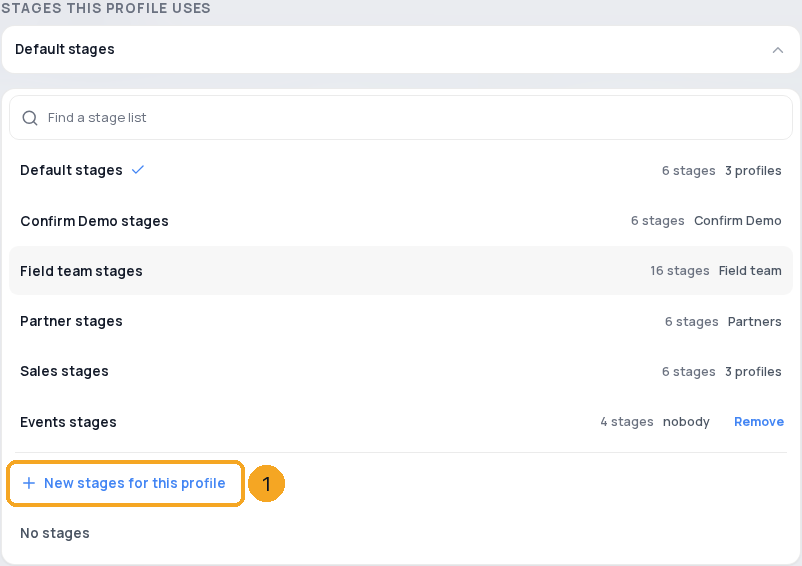
On a shared list, click New stages for this profile (1), then Make new stages. They start as a copy, and after that the two lists change separately.
5Use no stages
Click No stages (1), then Turn stages off. Its records keep their status.
6Remove a list nobody uses
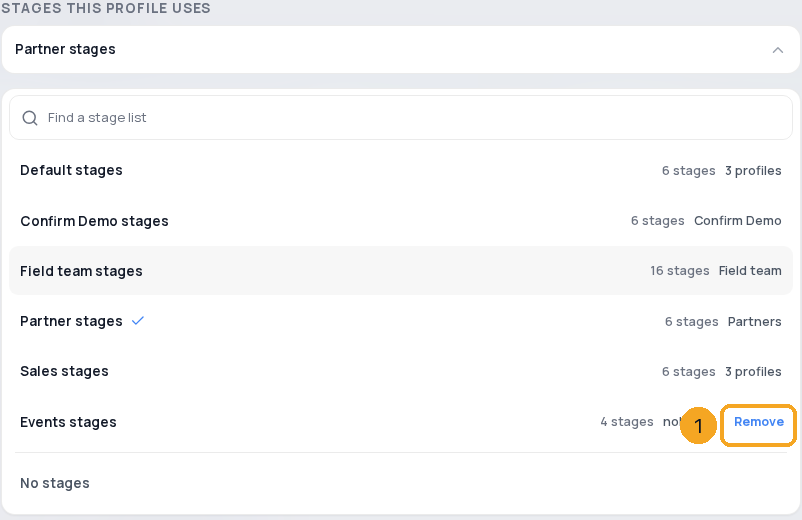
A kept list nobody uses says nobody and has Remove (1). Removing archives it; nothing is deleted.
© 2026 SkedX · Sample data only · Share and link freely · Copying the product or its design is not allowed · Terms
Common questions
What is Default stages?
The list every company starts with. Enquiries holds it, and every new profile starts on it.
Do records change when a profile switches?
Only as you choose in the switch window. Nothing is deleted, the old list is kept, and Undo puts it back.
Who sees a change to a shared list?
Every profile on that list. The card’s foot names them.
What about a deal stage only one profile has?
The Deals board uses the company list. The lead still gets its deal, which stands at the nearest earlier company stage.
Next in ProfilesSwitch a profile to another stage list without losing a stage →
Previous: Add an enquiry by hand · All Profiles guides
Did this guide help?
Still stuck?Chat with support →


