Open a group and work down it: each person with why they are here, in the columns you choose.
In review: written from the product, not yet walked through live.
Part of See everything that needs you today — My day — its video shows the whole feature.
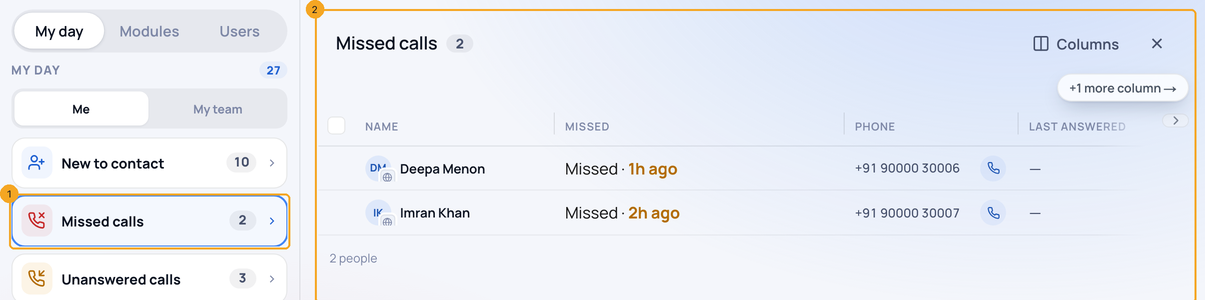
1Open a group as a list
On My Work, press a group in My day (1). It opens beside it as a list (2): who, why they are here, and the phone or chat to act with. A task row has its tick and three dots right after the name, so they stay in reach however wide the list is.
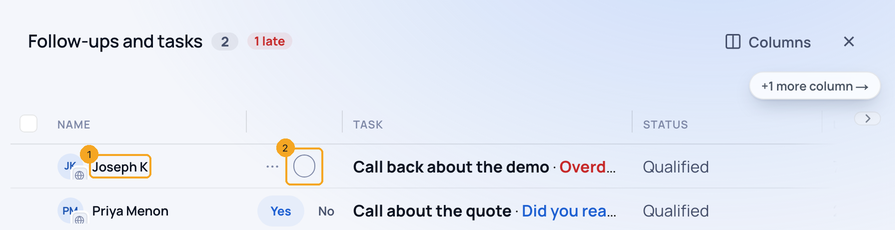
2Work down the group
Press a person (1) to open them; Previous and Next on their record walk this group in its order. A tick (2) finishes a task at once, with Undo for five seconds. On a computer, ↑ ↓ move, Enter opens and Esc goes back.
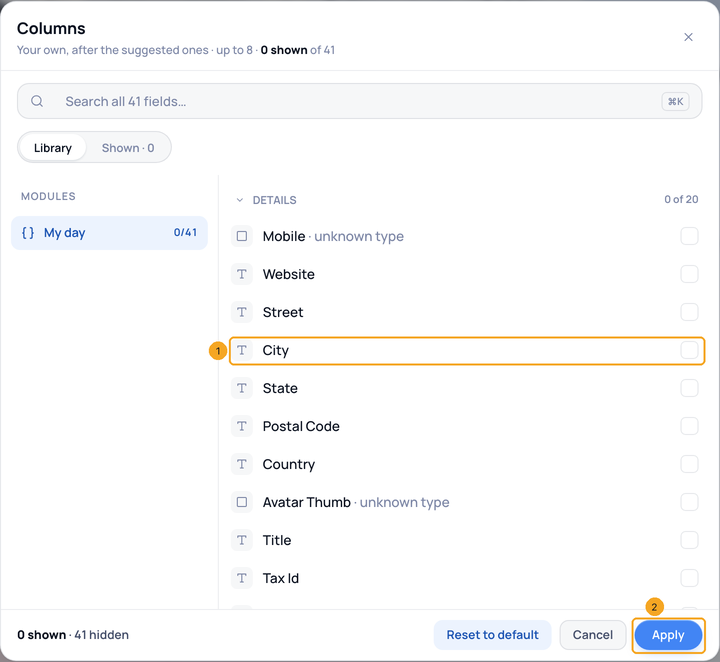
3Add your own columns
Press Columns at the top of the group, tick any field (1) and press Apply (2). Up to eight, for this group only; Reset to default takes them away.
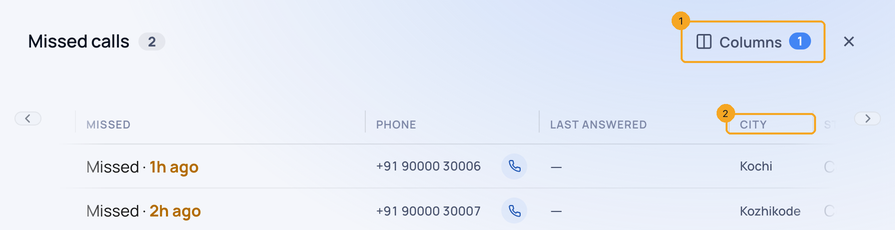
4See them after the suggested ones
Columns (1) counts your own. Each comes after the suggested ones (2) and stays on your account for this group.
5On a phone
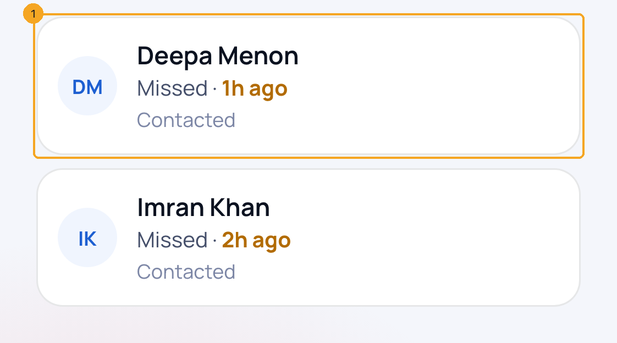
A group shows as cards (1). Press a card to open the person; a task card keeps its tick.
© 2026 SkedX · Sample data only · Share and link freely · Copying the product or its design is not allowed · Terms
Common questions
What is the Unassigned group?
Owners, admins and managers see an Unassigned group: leads nobody owns that came in before today, oldest at the bottom, with Assign on each. In a one-person company new leads go to that person, so it stays empty.
Do my columns show for my team?
No. They are kept on your account, for that one group, on any browser you sign in on.
Why is a field missing from Columns?
The list offers only fields your role may see. The group’s own columns (who and why) are always there.
How many columns can I add?
Up to eight, after the suggested ones.
Where does a task under Not on a person open?
In the Tasks side panel, over My Work — the same panel as on the Tasks page. ✕ or Escape brings you back to the same row. If it cannot open, a notice says so with Try again.
Previous: See everything that needs you today — My day · All Profiles guides
Did this guide help?
Still stuck?Chat with support →