So that in an automation of fifty steps you can go straight to the one that says “pincode”, or the one that still needs filling.
1Read the list
The list shows every step in the order it runs. A numbered step (1); a branch’s steps lettered A1, A2 (2); a step that still needs something says so in amber (3). Click a row to open that step.
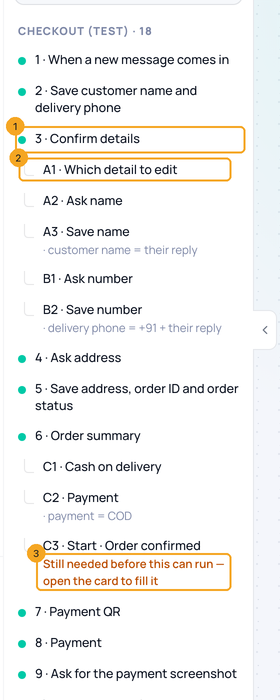
2Search what the steps say
Type in Search steps and messages (1) — or press /. Steps whose name or words match are listed, with where the words are (2). The arrow on the list’s edge (3) folds the list away.
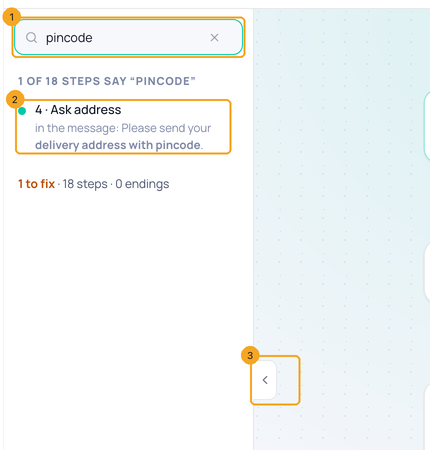
© 2026 SkedX · Sample data only · Share and link freely · Copying the product or its design is not allowed · Terms
Common questions
Nothing matches — what now?
The list says so and offers Clear the search. Try fewer words, or part of a word.
Where is the list on a phone?
Under 820 px wide the canvas takes the whole screen: use + Add a step at the bottom left, and tap a card to open it.
Why does the list count fewer steps than my automation has?
A Branch drawn inside its question’s card and a Go back chip have no row of their own. They are still in the automation, and every save keeps them. Search their words and the list shows the question that holds them.
Next in AutomationSave what a customer says to their contact →
Previous: Set up a message step and its buttons · All Automation guides
Did this guide help?
Still stuck?Chat with support →


