When two teams share the chats, you want to know two things: did they get the same number, and what did each do with them.
The Team scorecard answers both, on one table, for two teams or twenty.
In review: written from the product, not yet walked through live.
1Open the Team scorecard
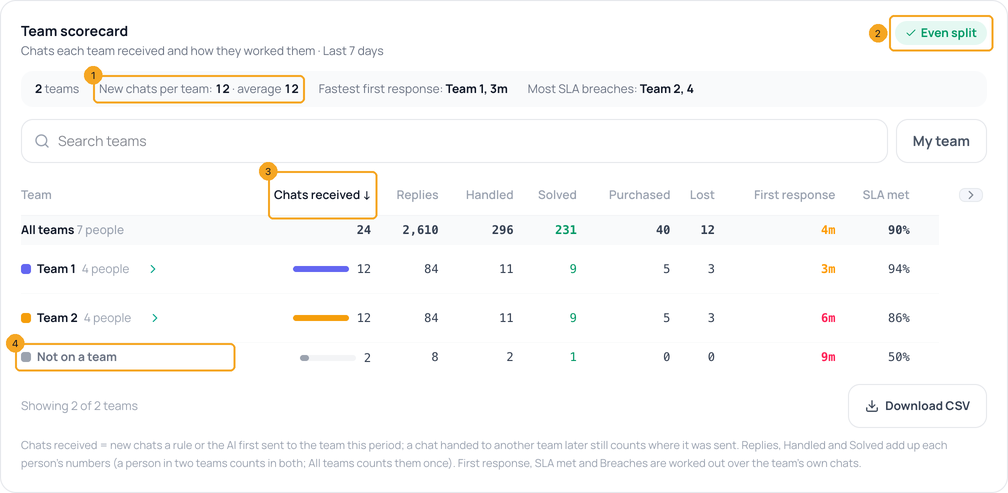
Open Analytics and scroll to Team scorecard, under Agent Performance. The summary line (1) gives the new chats per team and the average for the period you picked at the top of the page. Even split (2) says the teams got about the same. Click any column, like Chats received (3), to sort by it. Not on a team (4) counts chats no rule sent to a team.
2See a team’s people
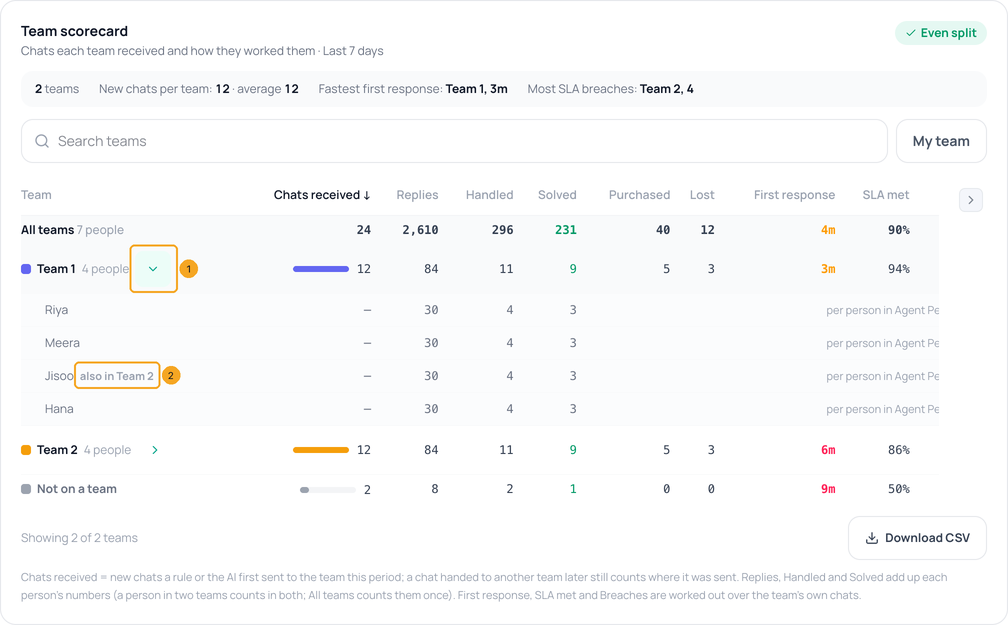
Click the arrow beside a team (1) to see its people and their replies, handled and solved — the same numbers as Agent Performance. Someone in two teams says also in the other one (2).
3How the chats ended, and finding one team
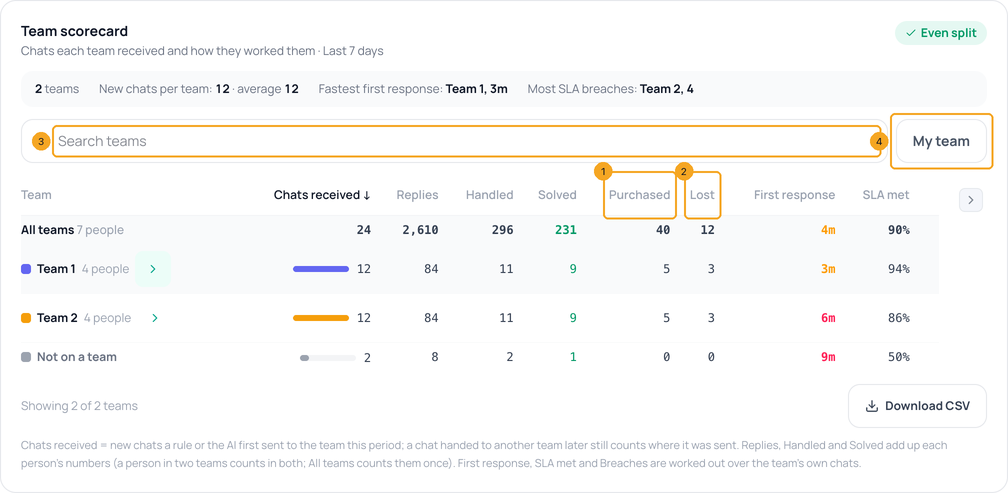
Purchased (1) and Lost (2) count how each team’s chats ended, from the stage set on them; hover a Lost number for the reasons, like Price. With many teams, type a name in Search teams (3), or click My team (4) to see only the teams you are in. Download CSV saves the table.
© 2026 SkedX · Sample data only · Share and link freely · Copying the product or its design is not allowed · Terms
Common questions
Why does a team’s Chats received not match its Handled?
Chats received counts the new chats sent to the team. Handled counts chats assigned to its people — including chats someone handed them from another team, or old chats assigned by hand.
We handed a chat to the other team. Whose number is it?
Chats received stays with the team it was first sent to, so the split stays honest. Handled, Solved and the outcome go to whoever has it now.
Where do Purchased and Lost come from?
From the stage set on each chat — see Set a customer’s stage. A Lost chat counts by the reason chosen; one with no reason counts as No reason given.
Why don’t the team rows add up to All teams?
People in two teams count in both teams’ rows; All teams counts every chat and reply once.
What counts as a reply?
A message someone on your team sent to a customer, from any inbox, the CRM, the dock or their own mailbox. Team notes, imported messages, sends that failed, AI replies, automations and integrations such as the API or Zapier do not count. Replies count from 10 September 2026, when Flow began recording who sent each message.
Why did our Replies jump?
Replies used to read far too low: Analytics was not matching a reply to the person who sent it. Nothing about your team’s work changed. The number now shows what people really sent.
I can’t see the card.
It appears once your workspace has a team, and only for admins, like the rest of Analytics. Check Customize at the top of the page too.
Useful links
Did this guide help?
Still stuck?Chat with support →


