Tell it which of those chats actually became customers and it stops optimising for chats and starts finding you more people who buy. SkedX Flow sends that back for you — from the stages your team sets on each chat, per channel. About six minutes, and you’ll need the Facebook account that runs your ads.
In review: written from the product, not yet walked through live.
1Open Meta Conversions API in SkedX Flow
Go to Settings → Marketplace, find the Meta Conversions API card and click Connect. You need an admin role. The panel tells you straight away how many of your last 30 days’ chats began from an ad — those are the only ones Facebook can match.
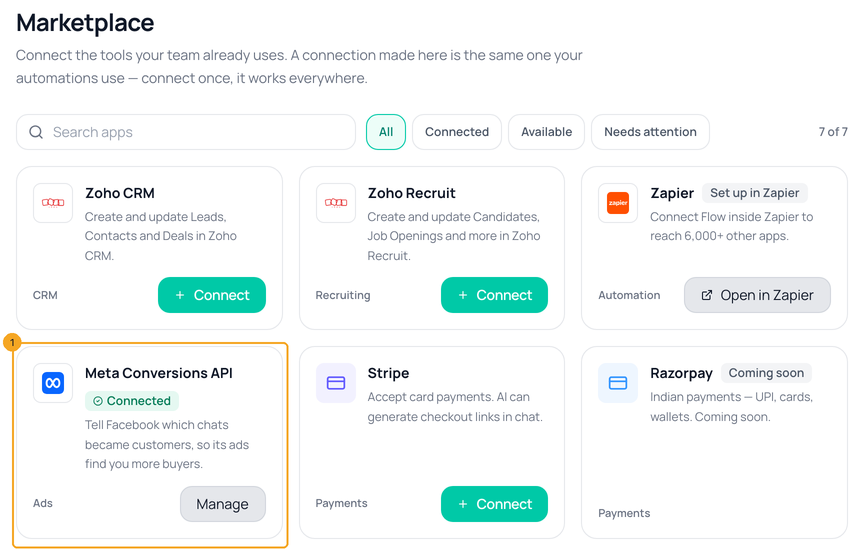
2Pick the channel
Facebook keeps a separate dataset per channel — one made from your WhatsApp business account, one from your Facebook Page, one from your Instagram account. Click the tab for the channel you run ads on. You can connect the others later, or never.
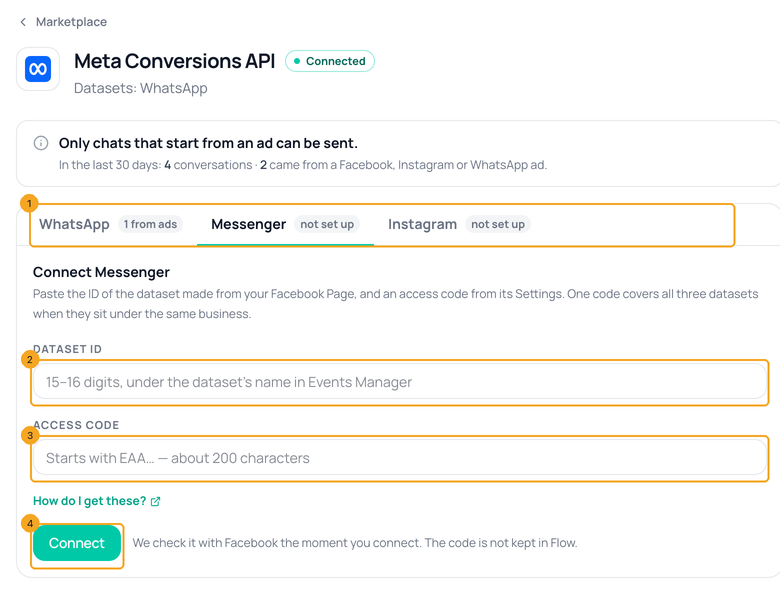
3Find that channel’s dataset in Facebook’s Events Manager
Go to business.facebook.com/events_manager, sign in with the account that runs your ads and open Datasets in the left menu. Find the dataset for this channel — for WhatsApp it carries your business account’s name; for Messenger and Instagram it was created from the Page or the Instagram account. The number labelled ID under its name is the dataset ID.
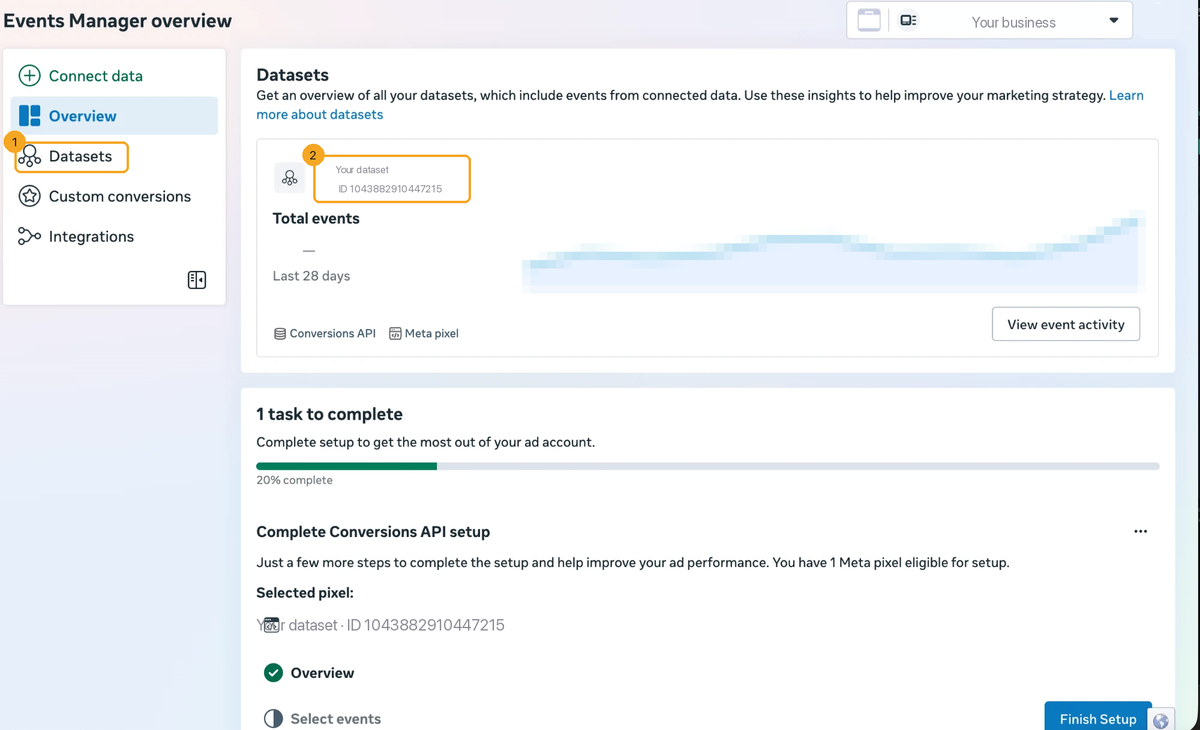
4Generate an access token
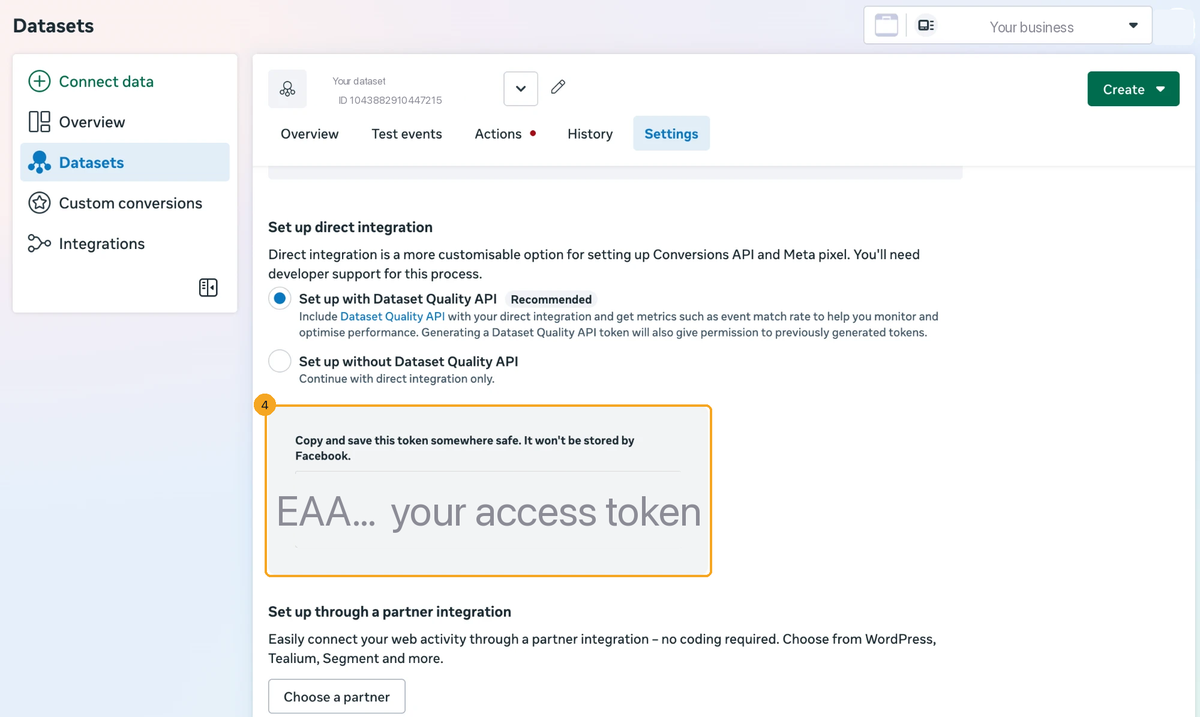
Click the dataset, open its Settings tab and scroll to Set up direct integration. Click Generate access token. If the datasets sit under the same business, one token covers all three — you can paste the same code on each channel tab.
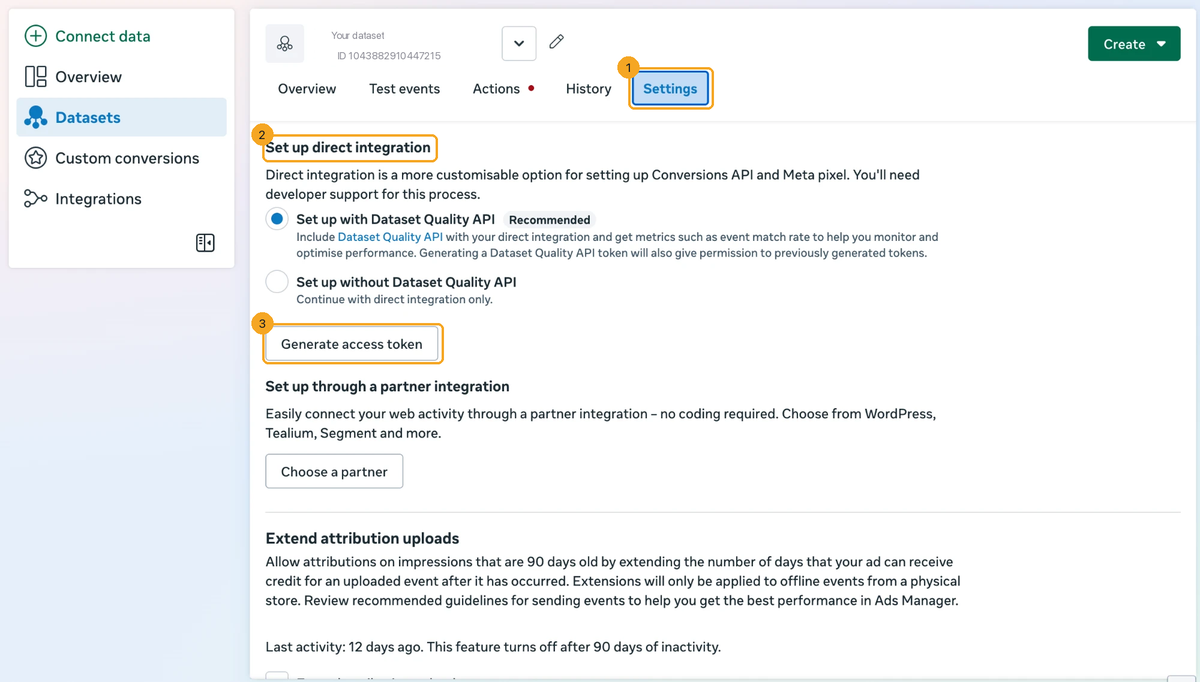
5Copy the token
Facebook shows the code once, in a grey box. Select all of it — it starts with EAA and runs to about 200 characters — and copy it. If you lose it, generate a new one; the old one keeps working until you remove it.
6Paste both and connect
Back in SkedX Flow, paste the dataset ID into Dataset ID, the code into Access code, and click Connect. SkedX checks the pair with Facebook before saving anything and shows the dataset’s name once it is verified. The code is encrypted and kept by SkedX’s sending service — it is never stored in Flow and never shown again; only its last four characters, so you know which code is in use.
7Choose what Flow sends
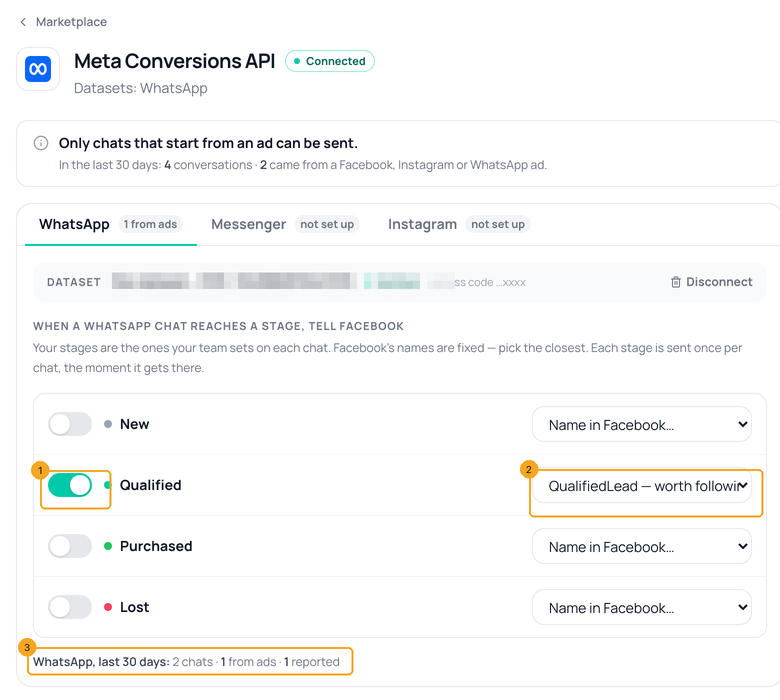
Choose the stages Facebook should learn from — Qualified, Purchased, or a stage of your own from Inbox settings. Picking Facebook’s name for a stage switches it on; Pick an event… switches it off. Facebook’s names for chats are fixed (LeadSubmitted, QualifiedLead, Purchase …), so choose the closest. Each stage is sent once per chat, the moment a teammate or the AI sets it. Repeat on the other channel tabs if you connected them.
8See it working on the chat
Open a chat that began from an ad and set its stage from the chip beside the customer’s name. A line appears in the thread — Reported to Facebook as QualifiedLead — so anyone can see what left and when. A chat that did not start from an ad is counted in the panel’s numbers but never sent, and shows no such line.
© 2026 SkedX · Sample data only · Share and link freely · Copying the product or its design is not allowed · Terms
Did this guide help?
Still stuck?Chat with support →


