The inbox is the screen your team lives in, so it should never make anyone wait.
It remembers your chats on this device and keeps them up to date as messages arrive. There is nothing to switch on — this is how it works.
In review: written from the product, not yet walked through live.
1Open the inbox
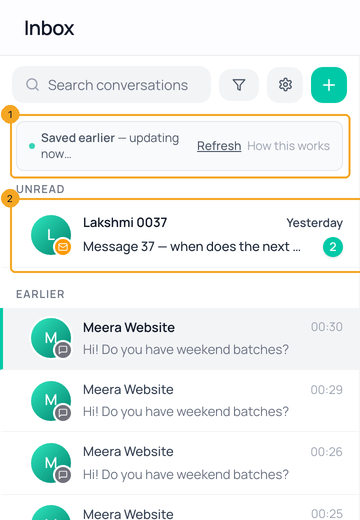
Click Inbox in the left menu (on a phone, Chats at the bottom). Your chats are on screen at once (2). If they were saved on this device earlier, a small Saved earlier — updating now line shows for a moment while Flow checks for anything new (1); Refresh asks again.
2Open a chat
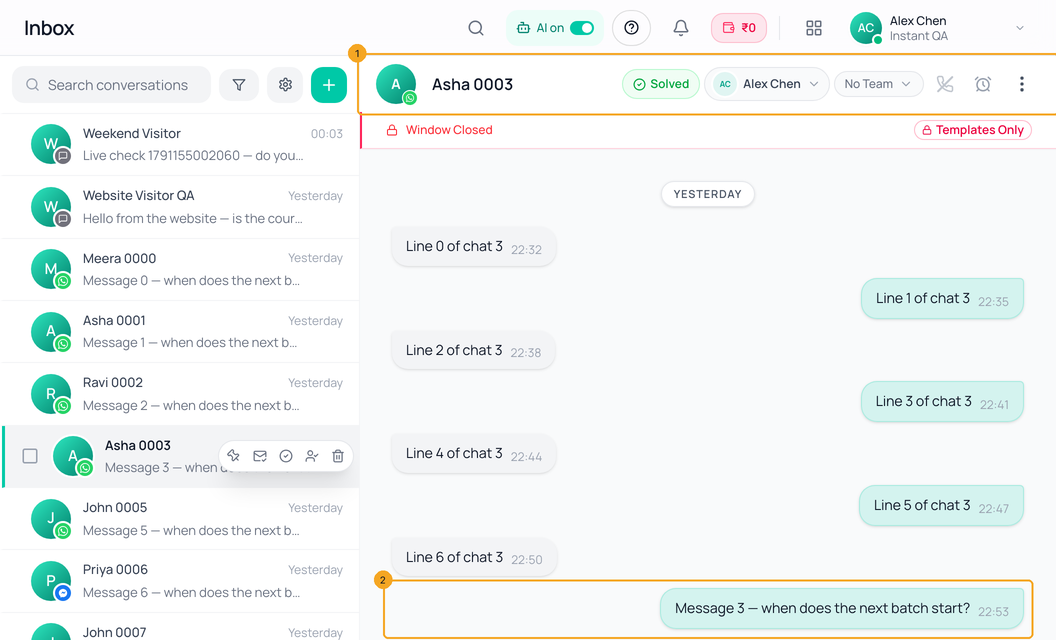
Tap or click a chat — its name and status show at the top (1) and its messages are there straight away (2). Chats you opened recently, and the first few unread ones, are already loaded; any other chat starts loading the moment your finger touches it.
3Go back to the list
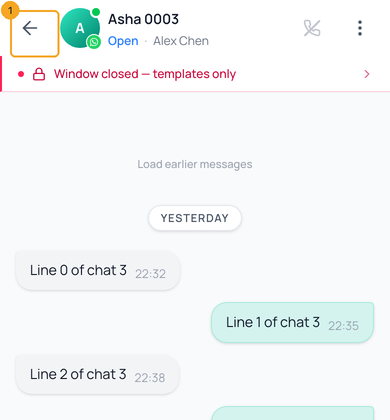
On a phone, use the back arrow at the top of the chat (1), swipe back, or your phone’s own Back button. The list is exactly where you left it, scrolled to the same place; nothing reloads.
4Watch new messages arrive
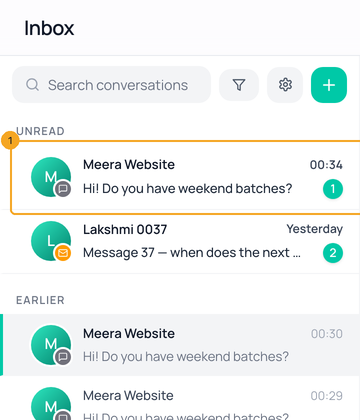
A new message moves its chat to the top of the list with its unread count (1), and appears in the open chat, within about a second. Chats with nothing new stay as they are.
5Read the counts
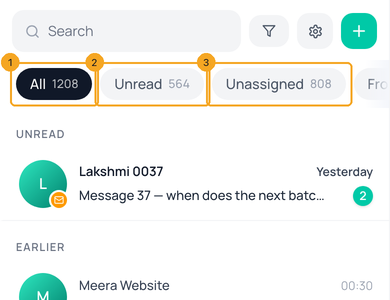
All (1), Unread (2) and Unassigned (3) at the top of the list count every chat you can see — not only the ones loaded on screen. Tap one to show just those chats.
6Scroll for older chats
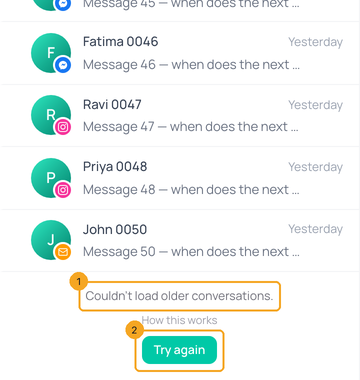
Keep scrolling: older chats load as you reach the bottom, however many you have. If they cannot be fetched, Couldn’t load older conversations appears (1) — click Try again (2).
© 2026 SkedX · Sample data only · Share and link freely · Copying the product or its design is not allowed · Terms
Common questions
What does “Saved earlier — updating now” mean?
The list on screen came from this device, saved on your last visit, and Flow is checking the server for anything new. It disappears within a second or two. If it stays, click Refresh.
What is kept on my device, and for how long?
Your recent chat list and the last messages of chats you opened, for one day, in this browser only. Email letters are never kept — only their preview. Everything is wiped when you sign out, switch organisation or workspace, or someone else signs in on the device.
It says “Live updates disconnected”. What now?
The live connection dropped. Flow reconnects by itself and checks for new messages every 30 seconds until it is back — nothing to do.
It says “Couldn’t refresh”.
Flow could not reach the server. The chats you see may be out of date — click Retry.
A chat I was looking at disappeared.
An admin changed what your role can see, or the chat was deleted. Flow says That conversation is no longer available to you; pick another chat from the list.
Where are chats that only have Facebook or Instagram comments?
In the Comments tab, where you can reply to them. The chat list shows conversations with messages — a comment-only thread used to appear there too, but opened to an empty chat.
Did this guide help?
Still stuck?Chat with support →


