A link can have its own — without changing anyone else’s times.
In review: written from the product, not yet walked through live.
Part of Create a booking link and share it — its video shows the whole feature.
1Open Times
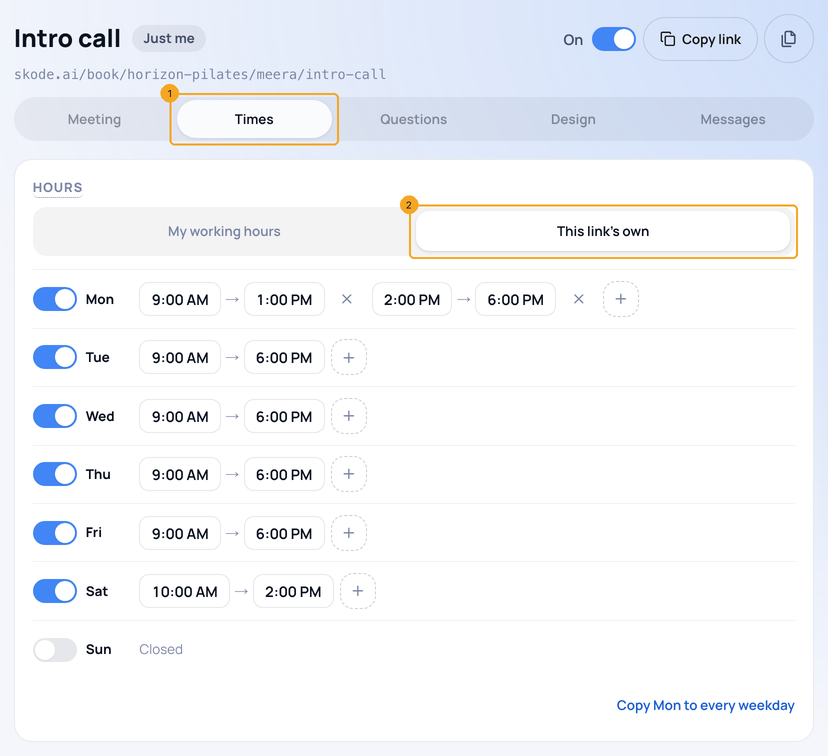
On a link’s page, open Times (1). Under Hours, keep My working hours or pick This link’s own (2).
2Set its week
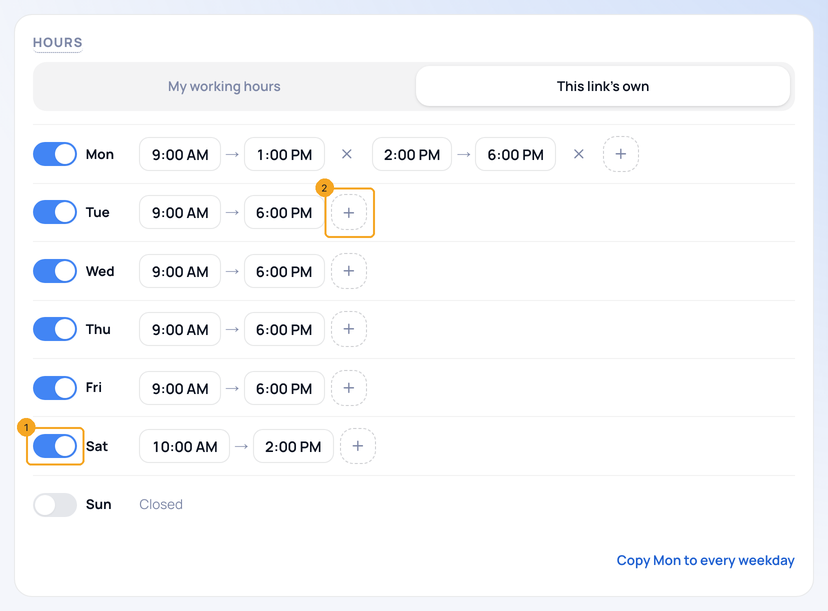
Each day has its switch (1) and its hours. + (2) adds another range on that day — up to three, so a lunch break is two ranges. Copy Mon to every weekday sits underneath.
3Add a special day
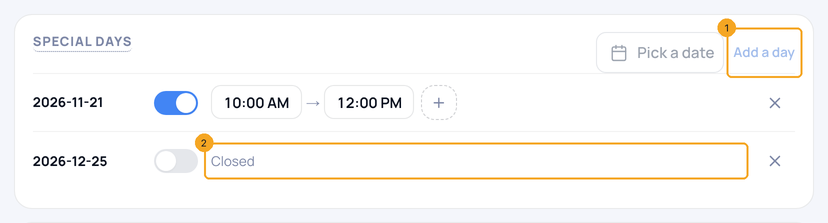
Add a day (1) picks a date; give it its own hours or leave it Closed (2). On that date it replaces the week, for this link only.
4Set how soon and how far ahead
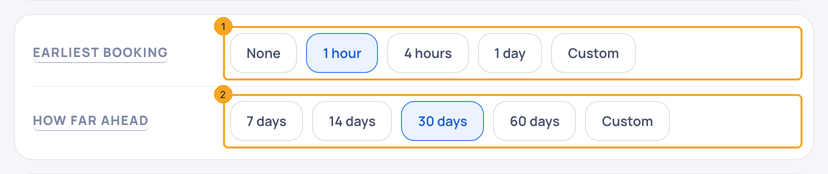
Earliest booking (1) is the notice you need; How far ahead (2) is how many days people can see. Custom takes any number.
5Keep breaks and choose start times
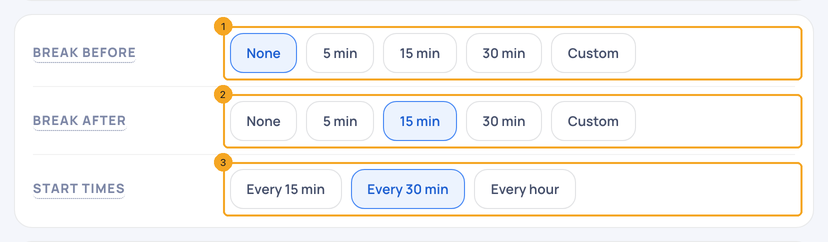
Break before (1) and Break after (2) keep time free around each booking — a 30-minute meeting with 30 minutes after, booked at 9:00, next starts at 10:00. Start times (3) offers a slot every 15 or 30 minutes or every hour.
6Set limits
Per day (1), Per week (2) and Per month (3) cap bookings on this link. Empty means no limit; once reached, the rest of that day, week or month shows as full.

© 2026 SkedX · Sample data only · Share and link freely · Copying the product or its design is not allowed · Terms
Common questions
Does this change my working hours?
No. This link’s own hours apply to this link only. A day closed in your working hours stays closed on every link.
What if the link’s hours are wider than mine?
The link offers its own hours, minus your meetings and your connected calendar’s busy times — never a time you are already booked.
Which time zone?
Your company’s. The person booking sees the times in their own zone.
Next in CalendarChoose the messages a booking link sends: confirmation, reminders, follow-up and WhatsApp →
Previous: Design a booking link: questions, its own look, and what happens after · All Calendar guides
Did this guide help?
Still stuck?Chat with support →


