A better SkedX Call plan for one month, at no cost — here is where it appears, what it changes, and what happens when the month ends.
In review: written from the product, not yet walked through live.
1Find the offer
An admin who may manage the plan sees the offer as a pop-up on the Calls page. If you pressed Not now, it waits in Calls → settings → Numbers & plan (1) — press See the offer (2) to open it again before the offer ends.

2See what changes, and when it ends
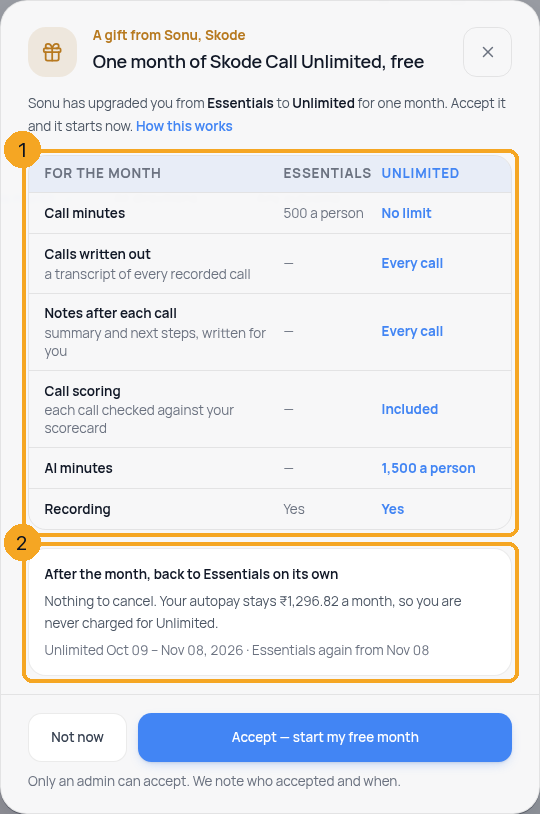
The pop-up compares your plan with the better one (1): call minutes, calls written out, notes after each call, call scoring and AI minutes. Below it (2) it says the plan goes back on its own after the month, that your autopay stays the same amount, and the exact dates.
3Accept it
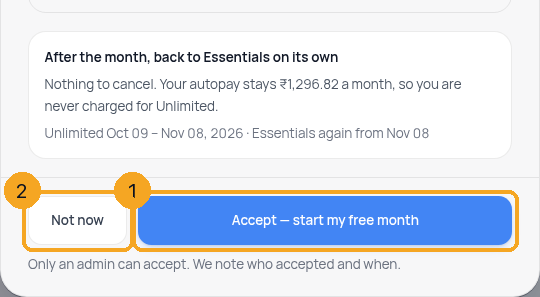
Press Accept — start my free month (1). It starts at once, and SkedX notes who accepted and when. Not now (2) closes it for this visit without changing anything.
4Start using it
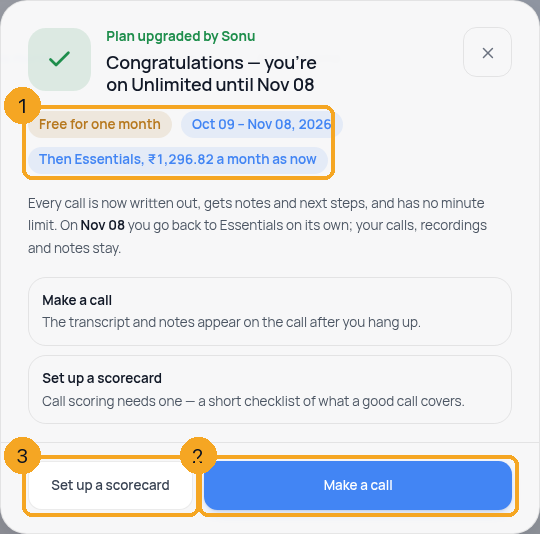
The pop-up turns into the congratulations, with the dates and what you go back to (1). Make a call (2) opens the dialer — the transcript and notes appear on the call after you hang up. Call scoring needs a scorecard: Set up a scorecard (3) opens it in Calls settings. Everyone on your team sees this once.
5While it runs
Calls → settings → Numbers & plan shows the better plan with when it ends and what comes back (1).

6When the month ends
In the last three days the Calls page says when it ends (1), with See your plan (2). On that day the plan goes back to the one you had, on its own. Nothing to cancel, and your next autopay is the same amount as before.

© 2026 SkedX · Sample data only · Share and link freely · Copying the product or its design is not allowed · Terms
Common questions
Will I be charged for the better plan?
No. Accepting costs nothing, your autopay keeps the same amount, and the plan goes back on its own at the end of the month.
What happens to calls, recordings and notes made during the month?
They stay. Only new calls after the month follow your own plan again — for example, no transcript on a plan that does not include it.
I pressed Not now. Where is the offer?
In Calls → settings → Numbers & plan, as a row with See the offer, until the offer ends.
Who can accept it?
Someone whose role may manage SkedX Call numbers and the plan (Settings → Users → Roles → Calls → “Numbers, Plan & Compliance”). Everyone else on the team sees the congratulations once it is accepted.
Can we keep the better plan after the month?
Yes — choose it from Manage plan, seats & billing in accounts on Numbers & plan before the month ends. When the gift is Intelligence, an admin is also offered to keep it at its launch price from your next payment, right on the Calls page — see Keep Intelligence at the Pro price when your gift month ends.
Previous: Choose the number you call from · All Calling guides
Did this guide help?
Still stuck?Chat with support →


