See at a glance what happens next with every enquiry — and plan the next step where nobody has.
In review: written from the product, not yet walked through live.
1Read the Next step column
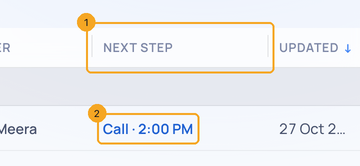
The Next step column (1) shows each enquiry’s next open follow-up and when it is due (2). One due today reads as today; one past its time is marked past due.
2Add a follow-up where there is none
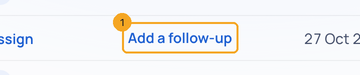
Where nothing is planned, the cell says Add a follow-up (1). Click it to add the task for that enquiry without leaving the list.
© 2026 SkedX · Sample data only · Share and link freely · Copying the product or its design is not allowed · Terms
Common questions
I don’t see the Next step column.
Open Columns in the toolbar and tick Next step.
Which follow-up does it show?
The next open one — the earliest that is not done yet.
Previous: See where a deal came from and what happens next · All Profiles guides
Did this guide help?
Still stuck?Chat with support →


