Your day’s meetings, by the clock: what is now, what is next, and what still needs a status — each one tap away.
In review: written from the product, not yet walked through live.
Part of See everything that needs you today — My day — its video shows the whole feature.
1Find today’s meetings
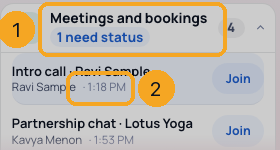
Open My Work → My day → Meetings and bookings (1). Each meeting says when (2): its time, in 12 min, Now, or Ended.
2Open a meeting where you are
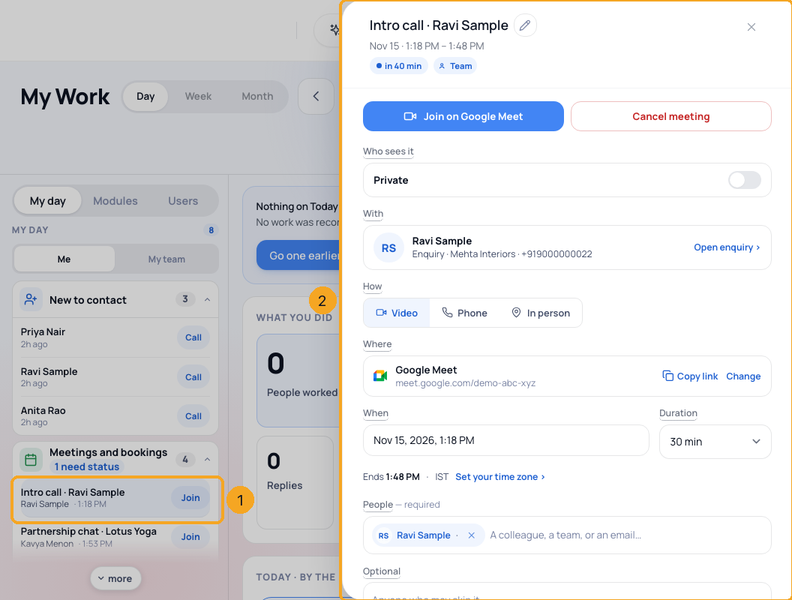
Tap a meeting (1). Its panel opens over My Work (2) — the same panel as in Calendar. ✕ or Escape brings you back to the same row.
3Set its status after it
When a meeting has ended, its button is Set status (1): Went ahead, No-show or Rescheduled. It waits under Meeting status (2) for two days, or the days your company chose.

© 2026 SkedX · Sample data only · Share and link freely · Copying the product or its design is not allowed · Terms
Common questions
Why does a past meeting not say late?
A meeting is an appointment, not a task. Once it ends it asks for its status instead.
Do my Outlook and Google meetings show?
Yes, on their own day and to you only. A colleague’s calendar meetings never show in My team.
How long does a meeting wait for its status?
Two days after it ends, unless your company chose another number in Settings → Tasks. Then it leaves My day; you can still set it from the meeting in Calendar.
Next in ProfilesThe Activity log on a record: read it, search it, write in it →
Previous: Call, email or WhatsApp someone from the list · All Profiles guides
Did this guide help?
Still stuck?Chat with support →