Cancelling is never a trick: we say what stops and when, ask you twice, check it is you with a code, and leave a way back until the day it ends.
In review: written from the product, not yet walked through live.
1Open Manage on the plan
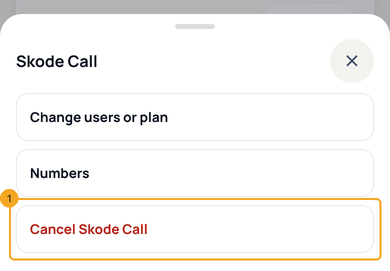
In Billing, press Manage on the plan. Cancel is the last item, in red (1).
2Read what stops and what stays
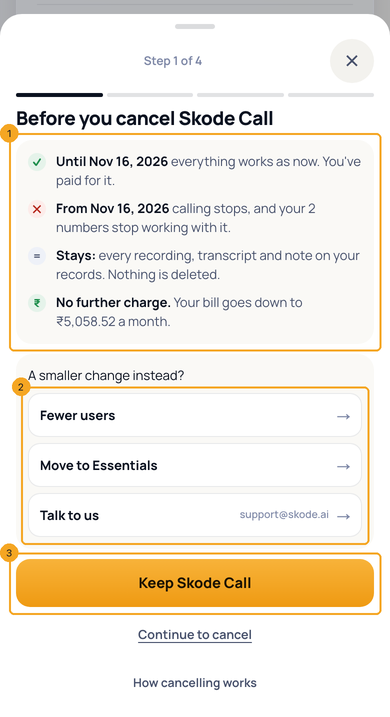
The first screen says what works until your date, what stops after it, what stays and the bill after (1). A smaller change comes first (2). Keep (3) leaves everything as it is; Continue to cancel goes on.
3Say why, if you like
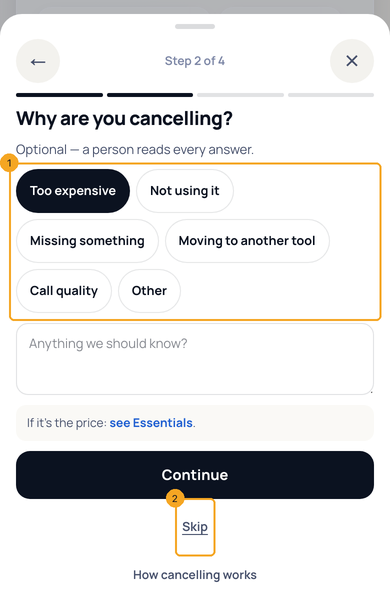
Pick a reason (1) and add a note — a person reads every answer. Or press Skip (2).
4Confirm
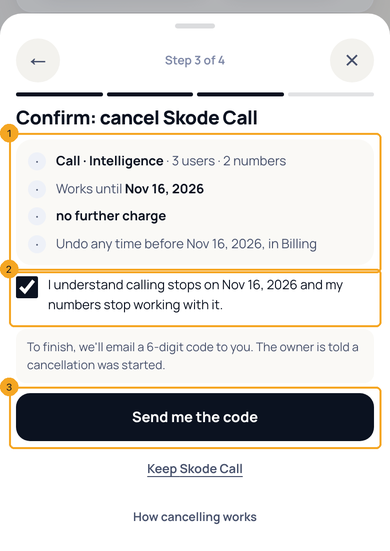
Check the plan and the date (1), tick the box that says what stops (2), and press Send me the code (3).
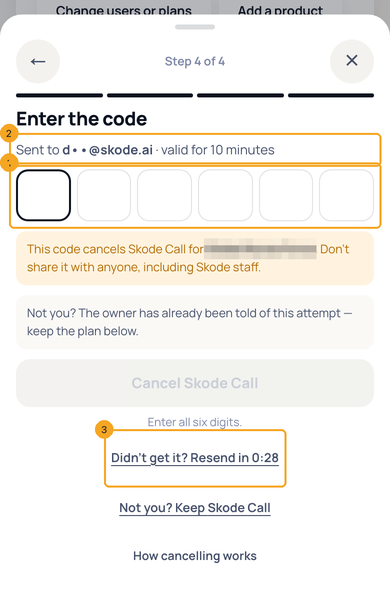
5Enter the code
Type the 6-digit code from the email (1) — it went to your own email (2) and works for 10 minutes. Didn't get it? Send a new one (3). Never share it, even with SkedX staff.
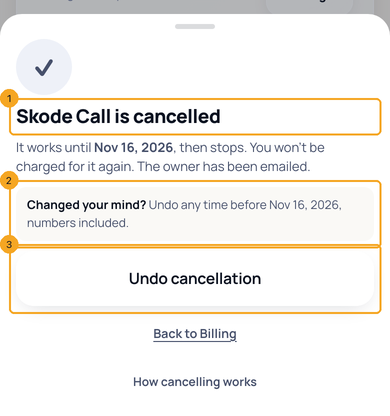
6Done — and Undo
It says the plan is cancelled and works until its date (1). Changed your mind (2)? Undo cancellation (3) takes it back.
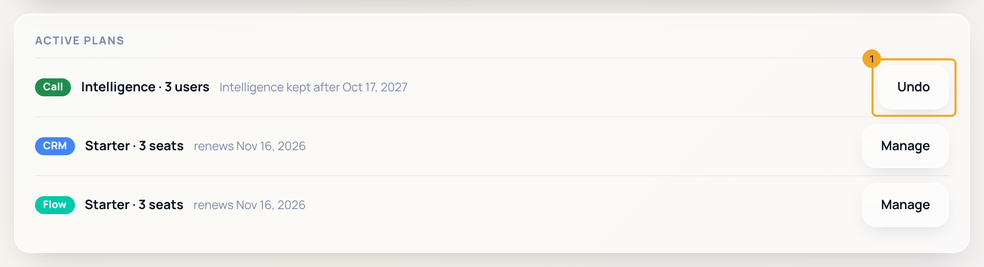
7Undo from Billing
Until the date, the plan shows Undo on Billing (1). If its autopay had stopped, you approve it again once.
8If you are not an owner or admin
You see the same first screen and Ask them to cancel, which sends the owner one message. Only an owner or admin can cancel.
© 2026 SkedX · Sample data only · Share and link freely · Copying the product or its design is not allowed · Terms
Common questions
Am I charged after I cancel?
No. The plan works until the end of the month you paid for, and nothing more is charged for it.
Is anything deleted?
No. Your records, recordings, notes and files stay. If you come back, everything is where you left it.
Who gets the code?
The owner or admin who is cancelling, at their own email. The owner on file is told a cancellation was started.
Can I undo it?
Yes, any time before the date it ends: press Undo on Billing. If its autopay had stopped, approve it again once.
What happens to my other products?
Nothing. On one bill, the bill is re-priced without the plan you cancelled; the others keep their autopay.
What about my SkedX Call numbers?
They stop working when the plan ends. Keep the plan, or undo before the date, to keep them.
Next in Plans & billingDownload your invoices and credit notes →
Previous: Your autopay: change the card or UPI, and fix a payment that didn’t go through · All Plans & billing guides
Did this guide help?
Still stuck?Chat with support →


